# Matte-Anything
Matte-Anything 一种交互式自然图像抠图模型。
## 论文
`Matte Anything: Interactive Natural Image Matting with Segment Anything Model`
- https://arxiv.org/abs/2306.04121
- Image and Vision Computing (Vol.147 Jul. '24)
## 模型结构
Matte-Anything 利用视觉基础模型,如 Segment Anything Models、Open Vocabulary Detection Models 实现交互简单且高质量的自然图像抠图。
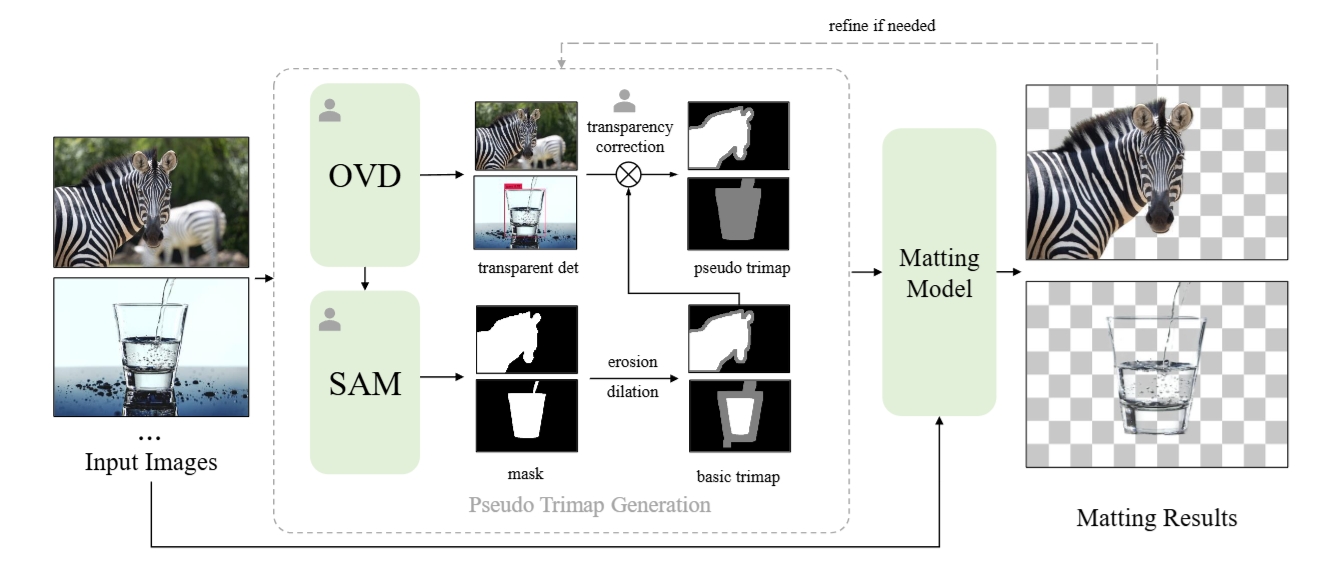
Matte-Anything
## 算法原理
Matte-Anything 关键思想是使用视觉基础模型生成的分割和透明度信息来生成伪三元图。因此,我们将图像抠图作为图像分割和透明对象检测的下游任务。Matte-Anything 利用特定于任务的视觉模型来增强自然图像抠图的性能。首先,我们采用分段任意模型 SAM 为目标实例生成高质量的掩模。随后,我们利用开放词汇对象检测模型,即 GroudingDINO 来检测常见的透明对象。然后根据分割和透明对象检测结果生成伪三元图,随后将其输入到自然图像抠图模型中 —— ViTMatte 。 ViTMatte模型是最先进的与类别无关的抠图方法,通过有效地适应预训练的ViT来实现,并且具有很强的泛化能力。 SAM、GroundingDINO 和 ViTMatte 这三个部分是解耦的,不需要额外的培训。
## 环境配置
```
mv matte-anything_pytorch matte-anything # 去框架名后缀
# docker的-v 路径、docker_name和imageID根据实际情况修改
# pip安装时如果出现下载慢可以尝试别的镜像源
```
### Docker(方法一)
```
docker pull image.sourcefind.cn:5000/dcu/admin/base/jupyterlab-pytorch:2.1.0-ubuntu20.04-dtk24.04.1-py3.10-scnet # 本镜像imageID为:38b7960be788
docker run -it -v /path/your_code_data/:/path/your_code_data/ -v /opt/hyhal/:/opt/hyhal/:ro --shm-size=16G --privileged=true --device=/dev/kfd --device=/dev/dri/ --group-add video --network=host --name docker_name imageID bash
cd /your_code_path/matte-anything
# Install segment-anything
pip install git+https://github.com/facebookresearch/segment-anything.git
# Install ViTMatte
python -m pip install 'git+https://github.com/facebookresearch/detectron2.git'
pip install -r requirements.txt
# Install GroundingDINO
git clone https://github.com/IDEA-Research/GroundingDINO.git
cd GroundingDINO
pip install -e .
```
### Dockerfile(方法二)
```
cd /your_code_path/matte-anything/docker
docker build --no-cache -t codestral:latest .
docker run -it -v /path/your_code_data/:/path/your_code_data/ -v /opt/hyhal/:/opt/hyhal/:ro --shm-size=16G --privileged=true --device=/dev/kfd --device=/dev/dri/ --group-add video --network=host --name docker_name imageID bash
cd /your_code_path/matte-anything
# Install segment-anything
pip install git+https://github.com/facebookresearch/segment-anything.git
# Install ViTMatte
python -m pip install 'git+https://github.com/facebookresearch/detectron2.git'
pip install -r requirements.txt
# Install GroundingDINO
git clone https://github.com/IDEA-Research/GroundingDINO.git
cd GroundingDINO
pip install -e .
```
### Anaconda(方法三)
关于本项目DCU显卡所需的特殊深度学习库可从[光合](https://developer.hpccube.com/tool/)开发者社区下载安装。
```
DTK驱动: dtk24.04.2
python: python3.10
pytorch: 2.1.0
```
`Tips:以上DTK驱动、python、pytorch等DCU相关工具版本需要严格一一对应`
其它非深度学习库参照requirements.txt安装:
```
cd /your_code_path/matte-anything
# Install segment-anything
pip install git+https://github.com/facebookresearch/segment-anything.git
# Install ViTMatte
python -m pip install 'git+https://github.com/facebookresearch/detectron2.git'
pip install -r requirements.txt
# Install GroundingDINO
git clone https://github.com/IDEA-Research/GroundingDINO.git
# 修改GroundingDINO/setup.py中CUDA_HOME->ROCM_HOME; 以及from fastpt import CUDAExtension
# 或者直接用setup.py替换掉GroundingDINO/setup.py
cd GroundingDINO
pip install -e .
```
## 数据集
无。
## 训练
无。
## 推理
下载 [sam_vit_h_4b8939.pth](https://github.com/facebookresearch/segment-anything?tab=readme-ov-file#model-checkpoints)
下载 [GroundingDINO-T](https://github.com/IDEA-Research/GroundingDINO/releases/download/v0.1.0-alpha/groundingdino_swint_ogc.pth)
下载 [ViTMatte_vit_b](https://drive.google.com/file/d/1d97oKuITCeWgai2Tf3iNilt6rMSSYzkW/view?usp=sharing)
或者从[SCNet](http://113.200.138.88:18080/aimodels/findsource-dependency/sam_vit_h_4b8939)上高速下载
并放在 ./pretrained 下。
可视化webui推理:
```
export HF_ENDPOINT=https://hf-mirror.com
python matte_anything.py --listen
```
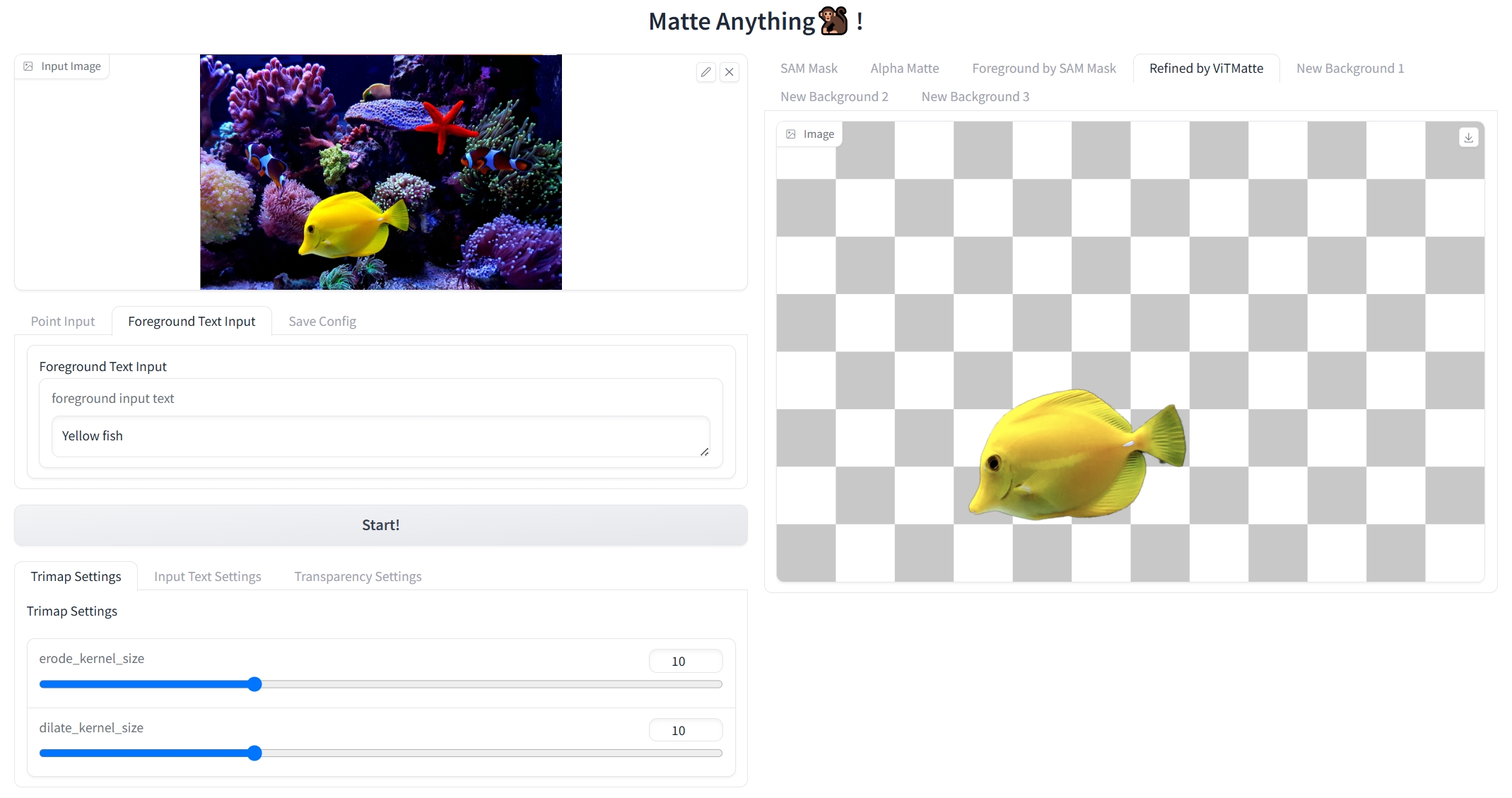
webui界面
1、上传图片;\
2、选择目标或者区域,可通过标点或者文本输入;\
3、运行。\
ps:请勿频繁操作;参数自行调整。
## result
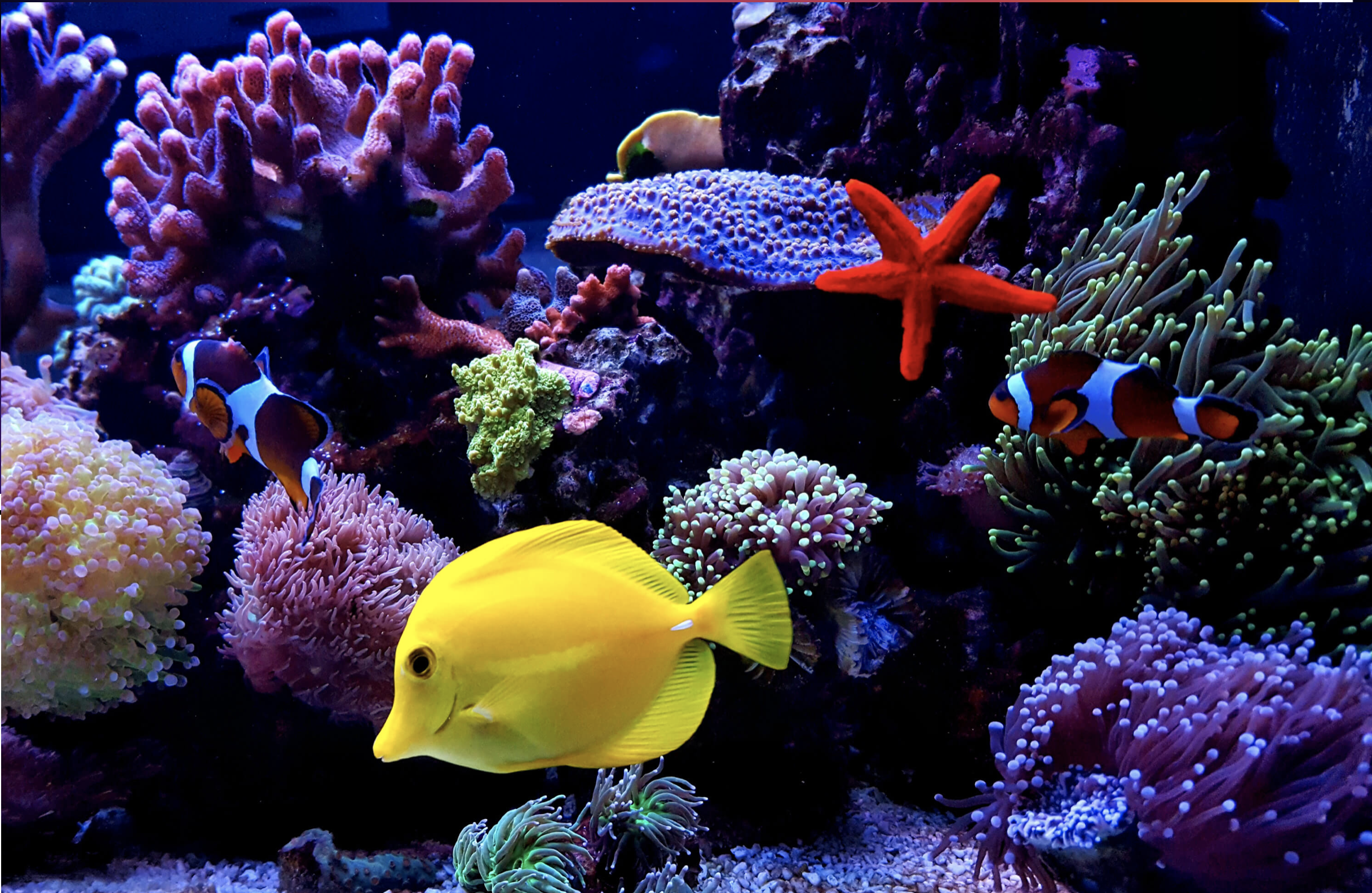
输入
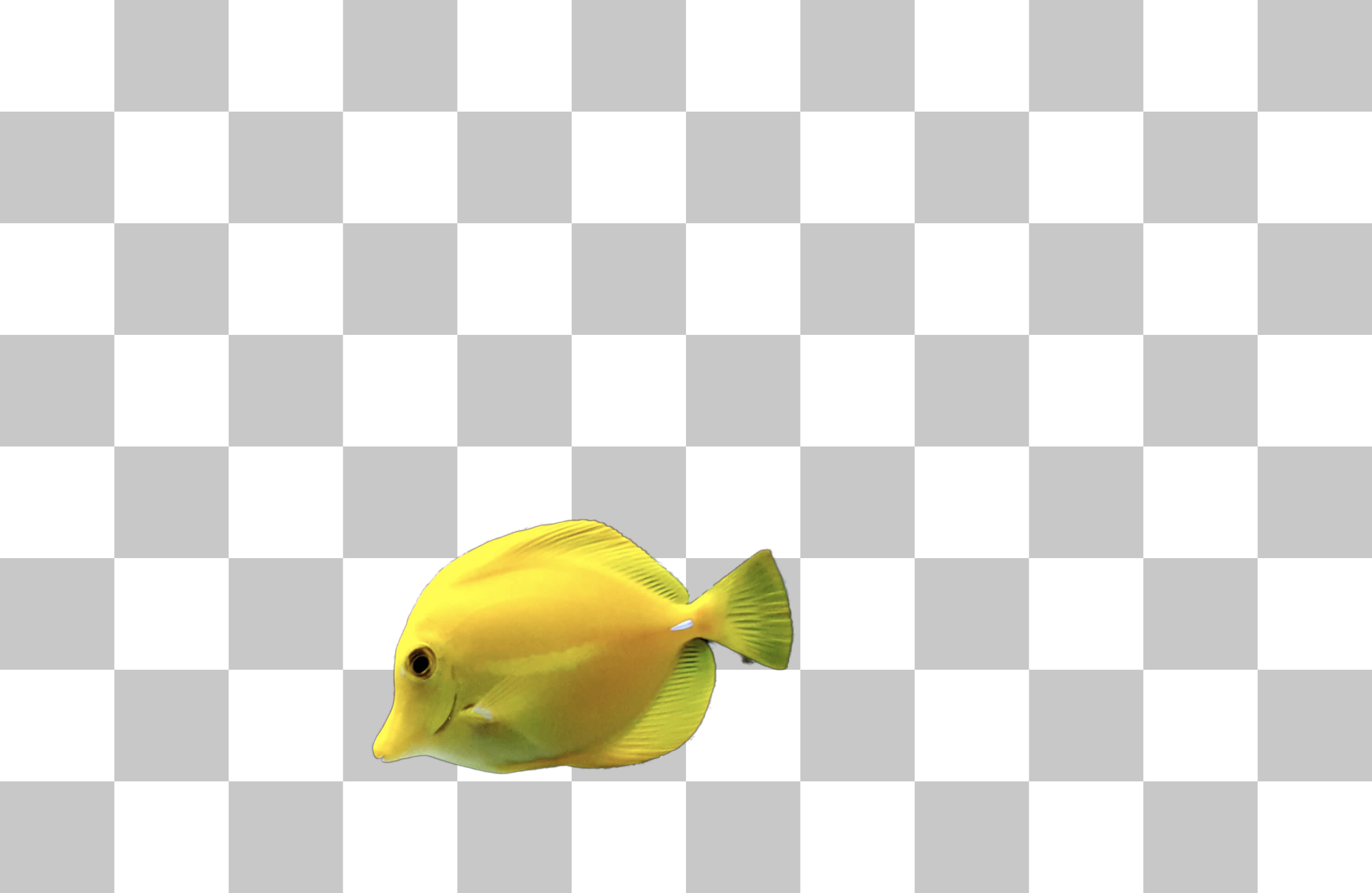
抠图结果
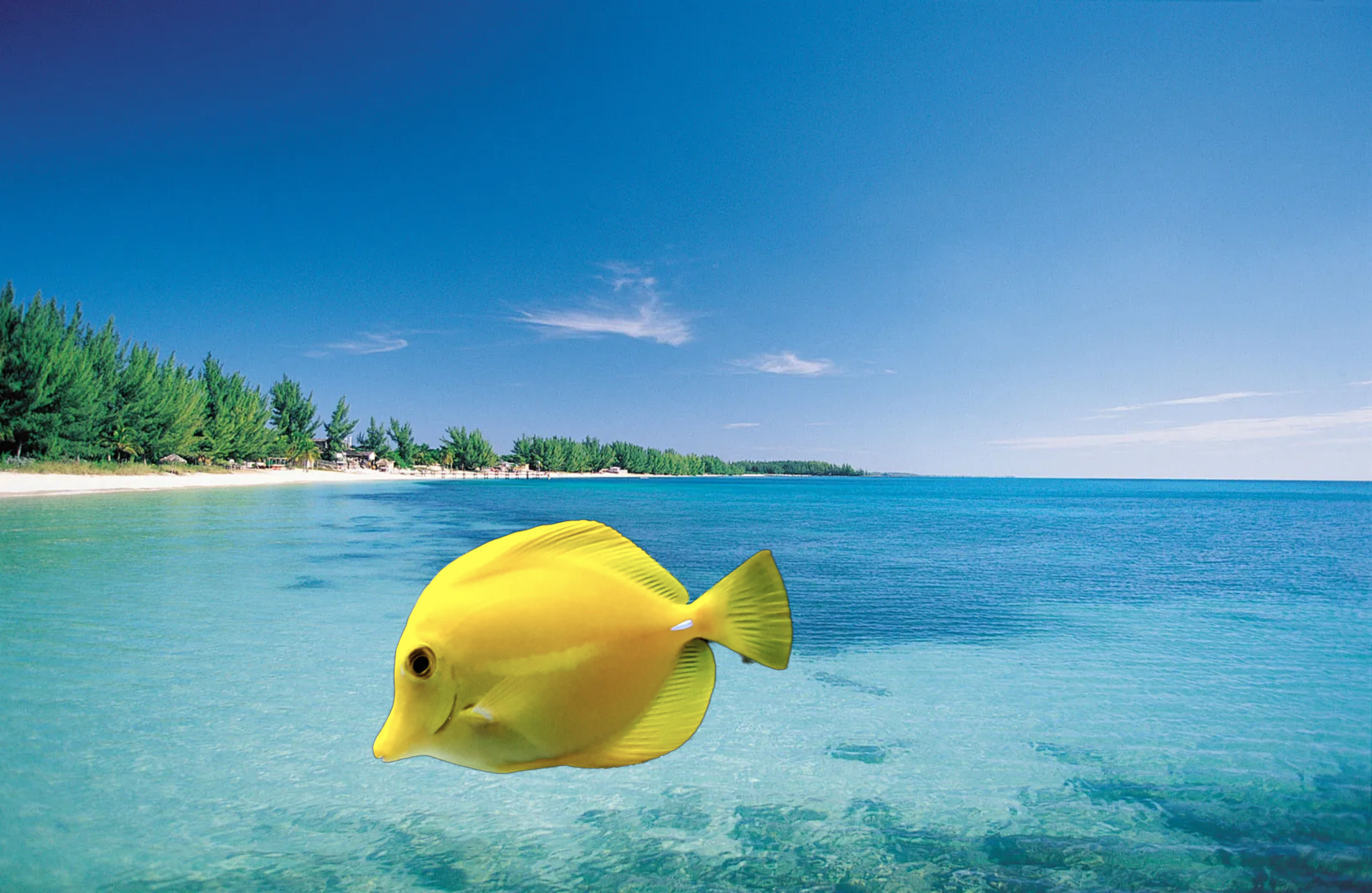
替换背景
### 精度
无。
## 应用场景
### 算法类别
`AIGC`
### 热点应用行业
`零售,制造,电商,医疗,教育`
## 源码仓库及问题反馈
- https://developer.sourcefind.cn/codes/modelzoo/matte-anything_pytorch
## 参考资料
- https://github.com/hustvl/Matte-Anything