# ControlNet with Stable Diffusion XL
[Adding Conditional Control to Text-to-Image Diffusion Models](https://huggingface.co/papers/2302.05543) by Lvmin Zhang and Maneesh Agrawala.
Using a pretrained model, we can provide control images (for example, a depth map) to control Stable Diffusion text-to-image generation so that it follows the structure of the depth image and fills in the details.
The abstract from the paper is:
*We present a neural network structure, ControlNet, to control pretrained large diffusion models to support additional input conditions. The ControlNet learns task-specific conditions in an end-to-end way, and the learning is robust even when the training dataset is small (< 50k). Moreover, training a ControlNet is as fast as fine-tuning a diffusion model, and the model can be trained on a personal devices. Alternatively, if powerful computation clusters are available, the model can scale to large amounts (millions to billions) of data. We report that large diffusion models like Stable Diffusion can be augmented with ControlNets to enable conditional inputs like edge maps, segmentation maps, keypoints, etc. This may enrich the methods to control large diffusion models and further facilitate related applications.*
We provide support using ControlNets with [Stable Diffusion XL](./stable_diffusion/stable_diffusion_xl.md) (SDXL).
There are not many ControlNet checkpoints that are compatible with SDXL at the moment. So, we trained one using Canny edge maps as the conditioning images. To know more, check out the [model card](https://huggingface.co/diffusers/controlnet-canny-sdxl-1.0). We encourage you to train custom ControlNets; we provide a [training script](https://github.com/huggingface/diffusers/blob/main/examples/controlnet/README_sdxl.md) for this.
You can find some results below:
 ## MultiControlNet
You can compose multiple ControlNet conditionings from different image inputs to create a *MultiControlNet*. To get better results, it is often helpful to:
1. mask conditionings such that they don't overlap (for example, mask the area of a canny image where the pose conditioning is located)
2. experiment with the [`controlnet_conditioning_scale`](https://huggingface.co/docs/diffusers/main/en/api/pipelines/controlnet#diffusers.StableDiffusionControlNetPipeline.__call__.controlnet_conditioning_scale) parameter to determine how much weight to assign to each conditioning input
In this example, you'll combine a canny image and a human pose estimation image to generate a new image.
Prepare the canny image conditioning:
```py
from diffusers.utils import load_image
from PIL import Image
import numpy as np
import cv2
canny_image = load_image(
"https://huggingface.co/datasets/huggingface/documentation-images/resolve/main/diffusers/landscape.png"
)
canny_image = np.array(canny_image)
low_threshold = 100
high_threshold = 200
canny_image = cv2.Canny(canny_image, low_threshold, high_threshold)
# zero out middle columns of image where pose will be overlayed
zero_start = canny_image.shape[1] // 4
zero_end = zero_start + canny_image.shape[1] // 2
canny_image[:, zero_start:zero_end] = 0
canny_image = canny_image[:, :, None]
canny_image = np.concatenate([canny_image, canny_image, canny_image], axis=2)
canny_image = Image.fromarray(canny_image).resize((1024, 1024))
```
## MultiControlNet
You can compose multiple ControlNet conditionings from different image inputs to create a *MultiControlNet*. To get better results, it is often helpful to:
1. mask conditionings such that they don't overlap (for example, mask the area of a canny image where the pose conditioning is located)
2. experiment with the [`controlnet_conditioning_scale`](https://huggingface.co/docs/diffusers/main/en/api/pipelines/controlnet#diffusers.StableDiffusionControlNetPipeline.__call__.controlnet_conditioning_scale) parameter to determine how much weight to assign to each conditioning input
In this example, you'll combine a canny image and a human pose estimation image to generate a new image.
Prepare the canny image conditioning:
```py
from diffusers.utils import load_image
from PIL import Image
import numpy as np
import cv2
canny_image = load_image(
"https://huggingface.co/datasets/huggingface/documentation-images/resolve/main/diffusers/landscape.png"
)
canny_image = np.array(canny_image)
low_threshold = 100
high_threshold = 200
canny_image = cv2.Canny(canny_image, low_threshold, high_threshold)
# zero out middle columns of image where pose will be overlayed
zero_start = canny_image.shape[1] // 4
zero_end = zero_start + canny_image.shape[1] // 2
canny_image[:, zero_start:zero_end] = 0
canny_image = canny_image[:, :, None]
canny_image = np.concatenate([canny_image, canny_image, canny_image], axis=2)
canny_image = Image.fromarray(canny_image).resize((1024, 1024))
```
 original image
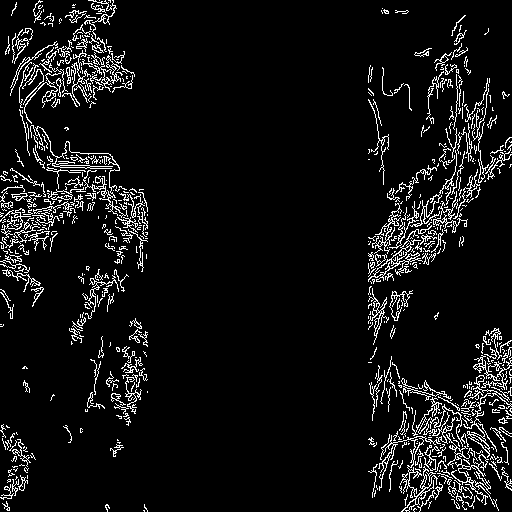 canny image
Prepare the human pose estimation conditioning:
```py
from controlnet_aux import OpenposeDetector
from diffusers.utils import load_image
openpose = OpenposeDetector.from_pretrained("lllyasviel/ControlNet")
openpose_image = load_image(
"https://huggingface.co/datasets/huggingface/documentation-images/resolve/main/diffusers/person.png"
)
openpose_image = openpose(openpose_image).resize((1024, 1024))
```
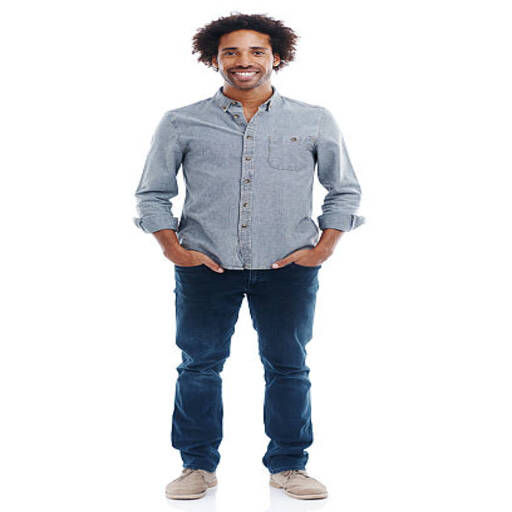 original image
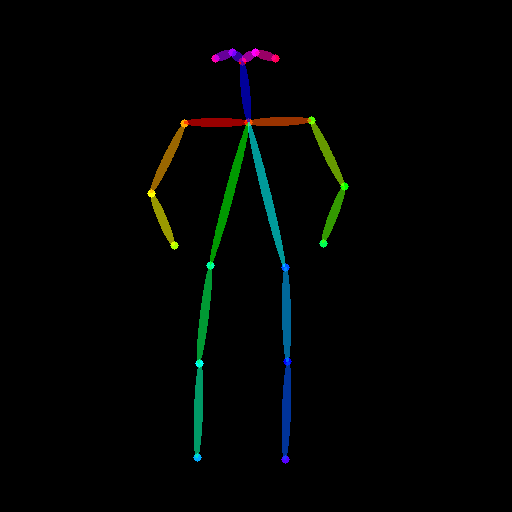 human pose image
Load a list of ControlNet models that correspond to each conditioning, and pass them to the [`StableDiffusionXLControlNetPipeline`]. Use the faster [`UniPCMultistepScheduler`] and nable model offloading to reduce memory usage.
```py
from diffusers import StableDiffusionXLControlNetPipeline, ControlNetModel, AutoencoderKL, UniPCMultistepScheduler
import torch
controlnets = [
ControlNetModel.from_pretrained(
"thibaud/controlnet-openpose-sdxl-1.0", torch_dtype=torch.float16, use_safetensors=True
),
ControlNetModel.from_pretrained("diffusers/controlnet-canny-sdxl-1.0", torch_dtype=torch.float16, use_safetensors=True),
]
vae = AutoencoderKL.from_pretrained("madebyollin/sdxl-vae-fp16-fix", torch_dtype=torch.float16, use_safetensors=True)
pipe = StableDiffusionXLControlNetPipeline.from_pretrained(
"stabilityai/stable-diffusion-xl-base-1.0", controlnet=controlnets, vae=vae, torch_dtype=torch.float16, use_safetensors=True
)
pipe.scheduler = UniPCMultistepScheduler.from_config(pipe.scheduler.config)
pipe.enable_model_cpu_offload()
```
Now you can pass your prompt (an optional negative prompt if you're using one), canny image, and pose image to the pipeline:
```py
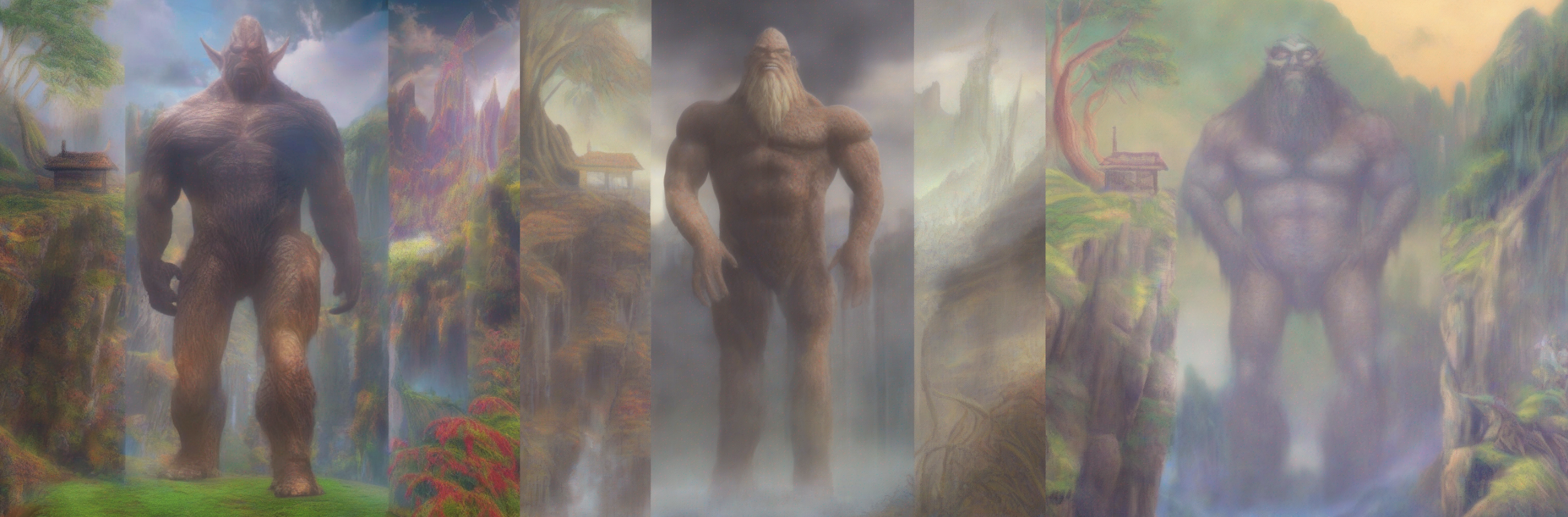
prompt = "a giant standing in a fantasy landscape, best quality"
negative_prompt = "monochrome, lowres, bad anatomy, worst quality, low quality"
generator = torch.manual_seed(1)
images = [openpose_image, canny_image]
images = pipe(
prompt,
image=images,
num_inference_steps=25,
generator=generator,
negative_prompt=negative_prompt,
num_images_per_prompt=3,
controlnet_conditioning_scale=[1.0, 0.8],
).images[0]
```
## StableDiffusionXLControlNetPipeline
[[autodoc]] StableDiffusionXLControlNetPipeline
- all
- __call__