English | [简体中文](README_cn.md)
# PP-HumanSeg
**Content**
- 1 Introduction
- 2 News
- 3 PP-HumanSeg Models
- 4 Quick Start
- 5 Training and Finetuning
- 6 Deployment
## 1 Introduction
Human segmentation is a high-frequency application in the field of image segmentation.
Generally, human segentation can be classified as portrait segmentation and general human segmentation.
For portrait segmentation and general human segmentation, PaddleSeg releases the PP-HumanSeg models, which has **good performance in accuracy, inference speed and robustness**. Besides, we can deploy PP-HumanSeg models to products without training
Besides, PP-HumanSeg models can be deployed to products at zero cost, and it also support fine-tuning to achieve better performance.
The following is demonstration videos (due to the video is large, the loading will be slightly slow) .We provide full-process application guides from training to deployment, as well as video streaming segmentation and background replacement tutorials. Based on Paddle.js, you can experience the effects of [Portrait Snapshot](https://paddlejs.baidu.com/humanseg), [Video Background Replacement and Barrage Penetration](https://www.paddlepaddle.org.cn/paddlejs).


## 2 News
- [2022-7] Release PP-HumanSeg V2 models. **The inference speed of portrait segmentation model is increased by 45.5%, mIoU is increased by 3.03%, and the visualization result is better**. The general human segmentation models also have improvement in accuracy and inference speed.
- [2022-1] Human segmentation paper [PP-HumanSeg](./paper.md) was published in WACV 2022 Workshop, and open-sourced Connectivity Learning (SCL) method and large-scale video conferencing dataset.
- [2021-7] Baidu Video Conference can realize one-second joining on the web side. The virtual background function adopts our portrait segmentation model to realize real-time background replacement and background blur function, which protects user privacy and increases the fun in the meeting.
- [2021-7] Release PP-HumanSeg V1 models, which has a portrait segmentation model and three general human segmentation models


## 3 Community
* If you have any questions, suggestions and feature requests, please create an issues in [GitHub Issues](https://github.com/PaddlePaddle/PaddleSeg/issues).
* Welcome to scan the following QR code and join paddleseg wechat group to communicate with us.
## 4 PP-HumanSeg Models
### 4.1 Portrait Segmentation Models
We release self-developed portrait segmentation models for real-time applications such as mobile video and web conferences. These models can be directly integrated into products at zero cost.
PP-HumanSegV1-Lite protrait segmentation model: It has good performance in accuracy and model size and the model architecture in [url](../../configs/pp_humanseg_lite/).
PP-HumanSegV2-Lite protrait segmentation model: **The inference speed is increased by 45.5%, mIoU is increased by 3.03%, and the visualization result is better** compared to v1 model. These improvements are relayed on the following innovations.
* Higher segmentation accuracy: We use the super lightweight models ([url](../../configs/mobileseg/)) released in PaddleSeg recently. We choose MobileNetV3 as backbone and design the multi-scale feature aggregation model.
* Faster inference speed: We reduce the input resolution, which reduces the inference time and increases the receptive field.
* Better robustness: Based on the idea of transfer learning, we first pretrain the model on a large general human segmentation dataset, and then finetune it on a small portrait segmentation dataset.
| Model Name | Best Input Shape | mIou(%) | Inference Time on Arm CPU(ms) | Modle Size(MB) | Config File | Links |
| --- | --- | --- | ---| --- | --- | --- |
| PP-HumanSegV1-Lite | 398x224 | 93.60 | 29.68 | 2.3 | [cfg](./configs/portrait_pp_humansegv1_lite.yml) | [Checkpoint](https://paddleseg.bj.bcebos.com/dygraph/pp_humanseg_v2/portrait_pp_humansegv1_lite_398x224_pretrained.zip) \| [Inference Model (Argmax)](https://paddleseg.bj.bcebos.com/dygraph/pp_humanseg_v2/portrait_pp_humansegv1_lite_398x224_inference_model.zip) \| [Inference Model (Softmax)](https://paddleseg.bj.bcebos.com/dygraph/pp_humanseg_v2/portrait_pp_humansegv1_lite_398x224_inference_model_with_softmax.zip) |
| PP-HumanSegV2-Lite | 256x144 | 96.63 | 15.86 | 5.4 | [cfg](./configs/portrait_pp_humansegv2_lite.yml) | [Checkpoint](https://paddleseg.bj.bcebos.com/dygraph/pp_humanseg_v2/portrait_pp_humansegv2_lite_256x144_smaller/portrait_pp_humansegv2_lite_256x144_pretrained.zip) \| [Inference Model (Argmax)](https://paddleseg.bj.bcebos.com/dygraph/pp_humanseg_v2/portrait_pp_humansegv2_lite_256x144_smaller/portrait_pp_humansegv2_lite_256x144_inference_model.zip) \| [Inference Model (Softmax)](https://paddleseg.bj.bcebos.com/dygraph/pp_humanseg_v2/portrait_pp_humansegv2_lite_256x144_smaller/portrait_pp_humansegv2_lite_256x144_inference_model_with_softmax.zip) |
Note:
* Test the segmentation accuracy (mIoU): We test the above models on PP-HumanSeg-14K dataset with the best input shape.
* Test the inference time: Use [PaddleLite](https://www.paddlepaddle.org.cn/lite), xiaomi9 (Snapdragon 855 CPU), single thread, the best input shape.
* For the best input shape, the ratio of height and width is 16:9, which is the same as the camera of mobile phone and laptop.
* The checkpoint is the pretrained weight, which is used for finetune.
* Inference model is used for deployment.
* Inference Model (Argmax): The last operation of inference model is argmax, so the output has single channel.
* Inference Model (Softmax): The last operation of inerence model is softmax, so the output has two channels.
Usage:
* Portrait segmentation model can be directly integrated into products at zero cost.
* For mobile phone, there are horizontal and vertical screen. We need to rotate the image to keep the human direction always be vertical.
Note:
* Test the segmentation accuracy (mIoU): After training the models on big human segmentation dataset, we test these models on small Supervisely Person dataset ([url](https://paddleseg.bj.bcebos.com/humanseg/data/mini_supervisely.zip)).
* Test the inference time: Use [PaddleLite](https://www.paddlepaddle.org.cn/lite), xiaomi9 (Snapdragon 855 CPU), single thread, the best input shape.
* The checkpoint is the pretrained weight, which is used for finetune.
* Inference model is used for deployment.
* Inference Model (Argmax): The last operation of inference model is argmax, so the output has single channel.
* Inference Model (Softmax): The last operation of inerence model is softmax, so the output has two channels.
Usage:
* Since the image of general human segmentation is various, you should evaluate the release model according to the actual scene.
* If the segmentation accuracy is not satisfied, you should annotate images and finetune the model with pretrained weights.
Note:
* If set img_path, it reads image to predict. If set video_path, it load video to predict.
* If not set img_path and video_path, it uses camera to shoot video for predicting.
* It assumes the input image and video are horizontal screen, i.e. the width is bigger than height. If the image and video are vertical screen, please add `--vertical_screen`.
* We can use optical flow algorithm to mitigate the video jitter (Require opencv-python > 4.0).
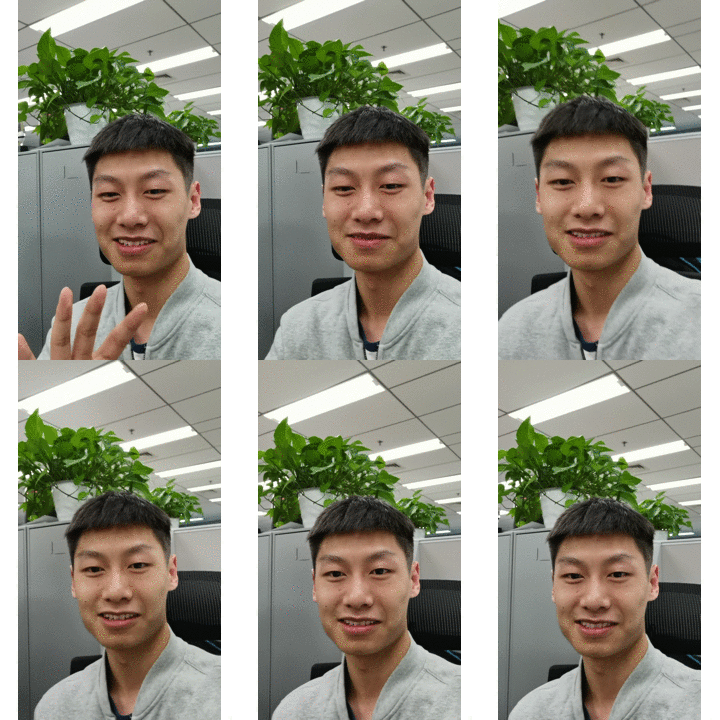
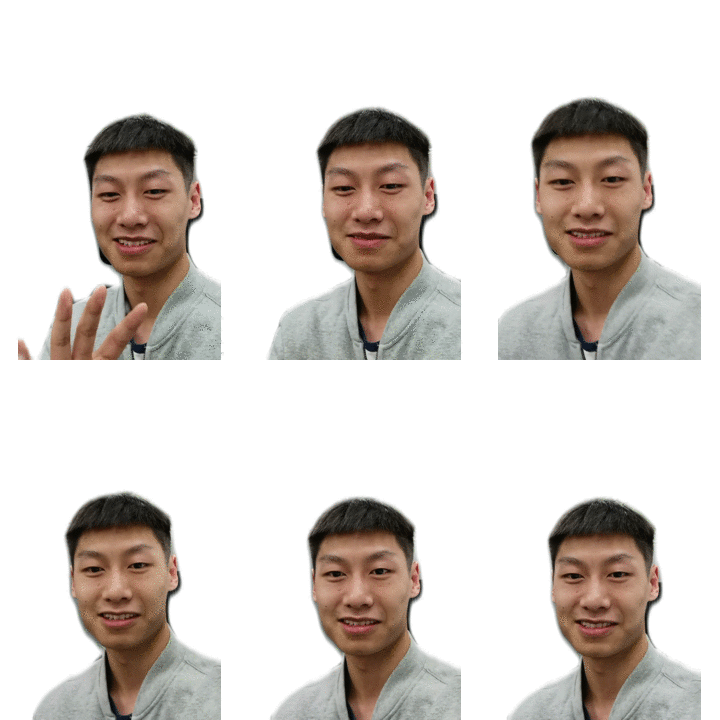
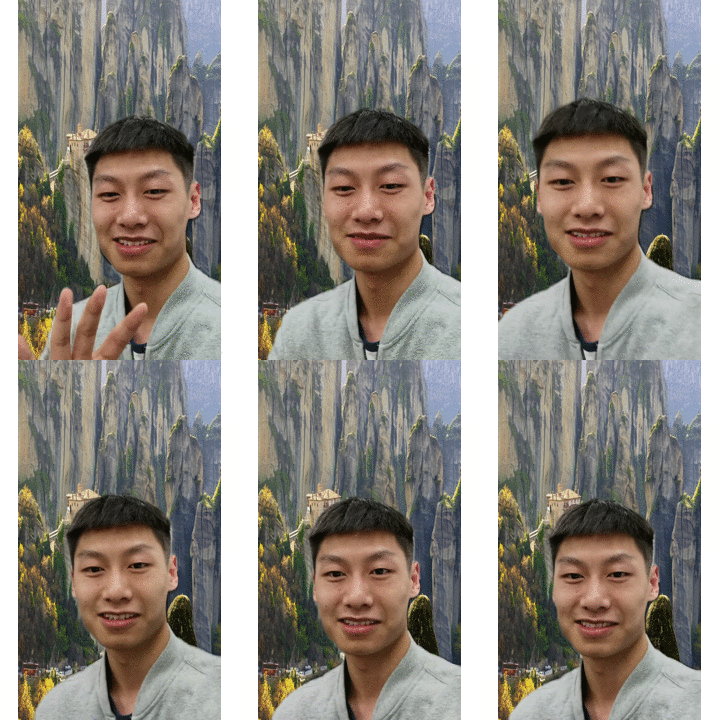
The result of background replacement as follows.
### 5.4 Online Tutorial
PP-HumanSeg V1 provides an online tutorial ([url](https://aistudio.baidu.com/aistudio/projectdetail/2189481)) in AI Studio.
PP-HumanSeg V2 provides an online tutorial ([url](https://aistudio.baidu.com/aistudio/projectdetail/4504982)) in AI Studio.
## 6 Training and Finetuning
Since the image for segmentation is various, you should evaluate the release model according to the actual scene.
If the segmentation accuracy is not satisfied, you should annotate images and finetune the model with pretrained weights.
We use the general human segmentation of PP-HumanSeg to show the training, evaluating and exporting.
### 6.1 Prepare
Refer to the "Quick Start - Prepare Environment", install Paddle and PaddleSeg.
Run the following command to download `mini_supervisely` dataset. Refer to the "Quick Start - Prepare Models and Data" for detailed information.
```bash
python src/download_data.py
```
Run the following command to download pretrained models.
```bash
python src/download_pretrained_models.py
```
### 6.2 Training
The config files are saved in `./configs` as follows. We have set the path of pretrained weight in all config files.
```
configs
├── human_pp_humansegv1_lite.yml
├── human_pp_humansegv2_lite.yml
├── human_pp_humansegv1_mobile.yml
├── human_pp_humansegv2_mobile.yml
├── human_pp_humansegv1_server.yml
```
Run the following command to start finetuning. You should change the details, such as learn rate, according to the actual situation. The full usage of model training in [url](../../docs/train/train.md).
```bash
export CUDA_VISIBLE_DEVICES=0 # Set GPU on Linux
# set CUDA_VISIBLE_DEVICES=0 # Set GPU on Windows
python ../../tools/train.py \
--config configs/human_pp_humansegv2_lite.yml \
--save_dir output/human_pp_humansegv2_lite \
--save_interval 100 --do_eval --use_vdl
```
### 6.3 Evaluation
Load model and trained weights and start model evaluation. The full usage of model evaluation in [url](../../docs/evaluation/evaluate/evaluate.md).
```bash
python ../../tools/val.py \
--config configs/human_pp_humansegv2_lite.yml \
--model_path pretrained_models/human_pp_humansegv2_lite_192x192_pretrained/model.pdparams
```
### 6.4 Prediction
Load model and trained weights and start model prediction. The result are saved in `./data/images_result/added_prediction` and `./data/images_result/pseudo_color_prediction`
```bash
python ../../tools/predict.py \
--config configs/human_pp_humansegv2_lite.yml \
--model_path pretrained_models/human_pp_humansegv2_lite_192x192_pretrained/model.pdparams \
--image_path data/images/human.jpg \
--save_dir ./data/images_result
```
### 6.5 Exporting
Load model and trained weights and export inference model. The full usage of model exporting in [url](../../docs/model_export.md).
```shell
python ../../tools/export.py \
--config configs/human_pp_humansegv2_lite.yml \
--model_path pretrained_models/human_pp_humansegv2_lite_192x192_pretrained/model.pdparams \
--save_dir output/human_pp_humansegv2_lite \
--without_argmax \
--with_softmax
```
When set `--without_argmax --with_softmax`, the last operation of inference model is softmax.
## 7 Deployment
The PP-Humanseg inference models are deployed in the same way as other models.
Deployment on server with python api, refer to [doc](../../docs/deployment/inference/python_inference.md).
Deployment on server with c++ api, refer to [doc](../../docs/deployment/inference/cpp_inference.md).
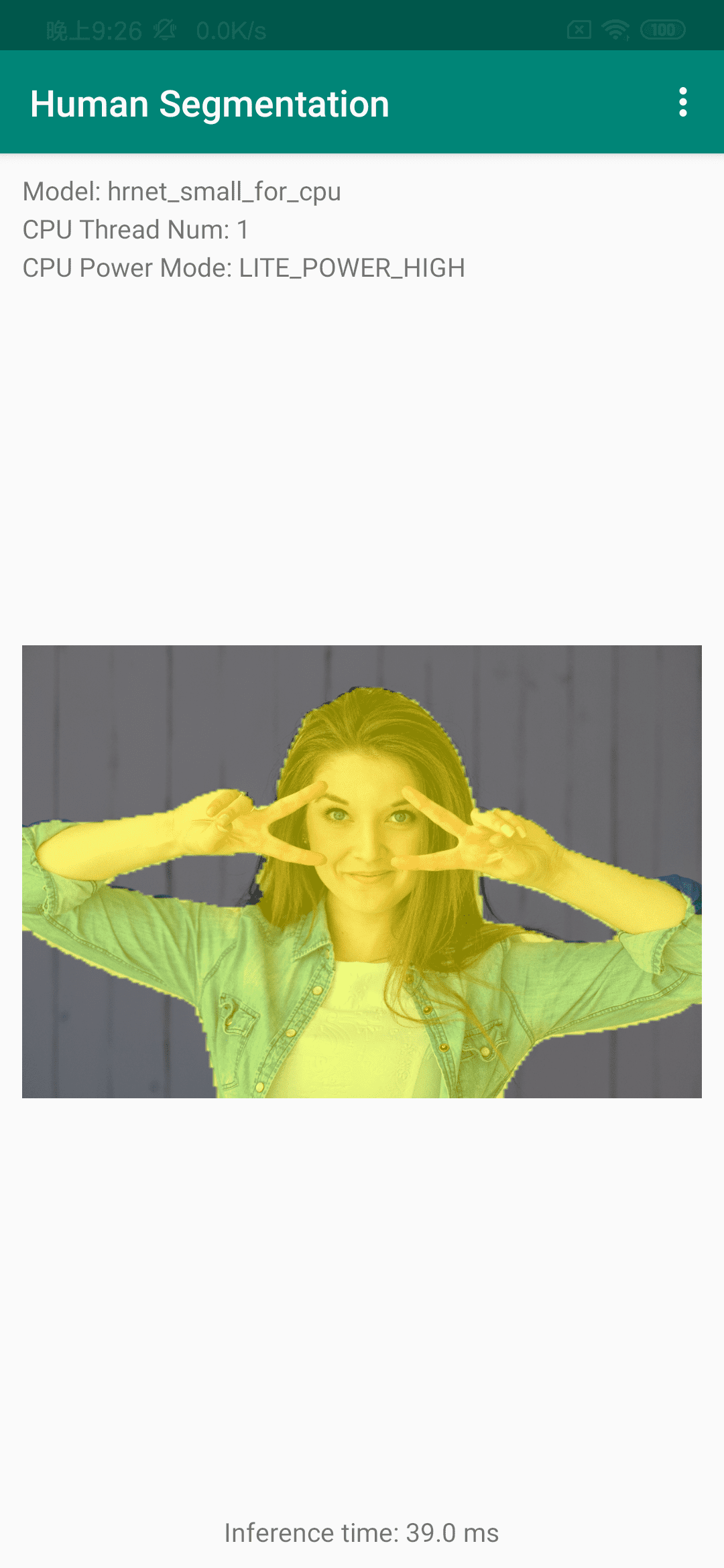
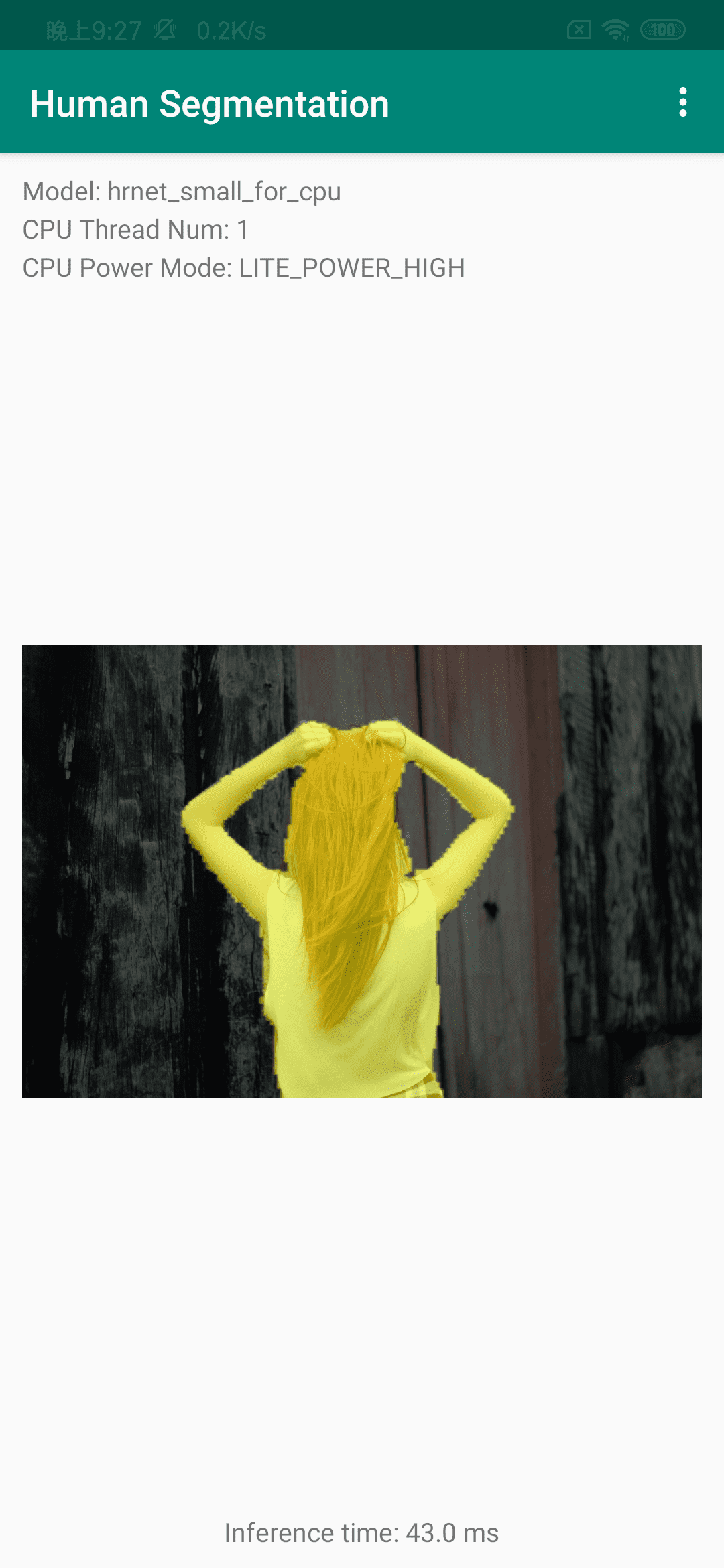
Deployment on edge dvices, refer to [doc](../../docs/deployment/lite/lite.md).
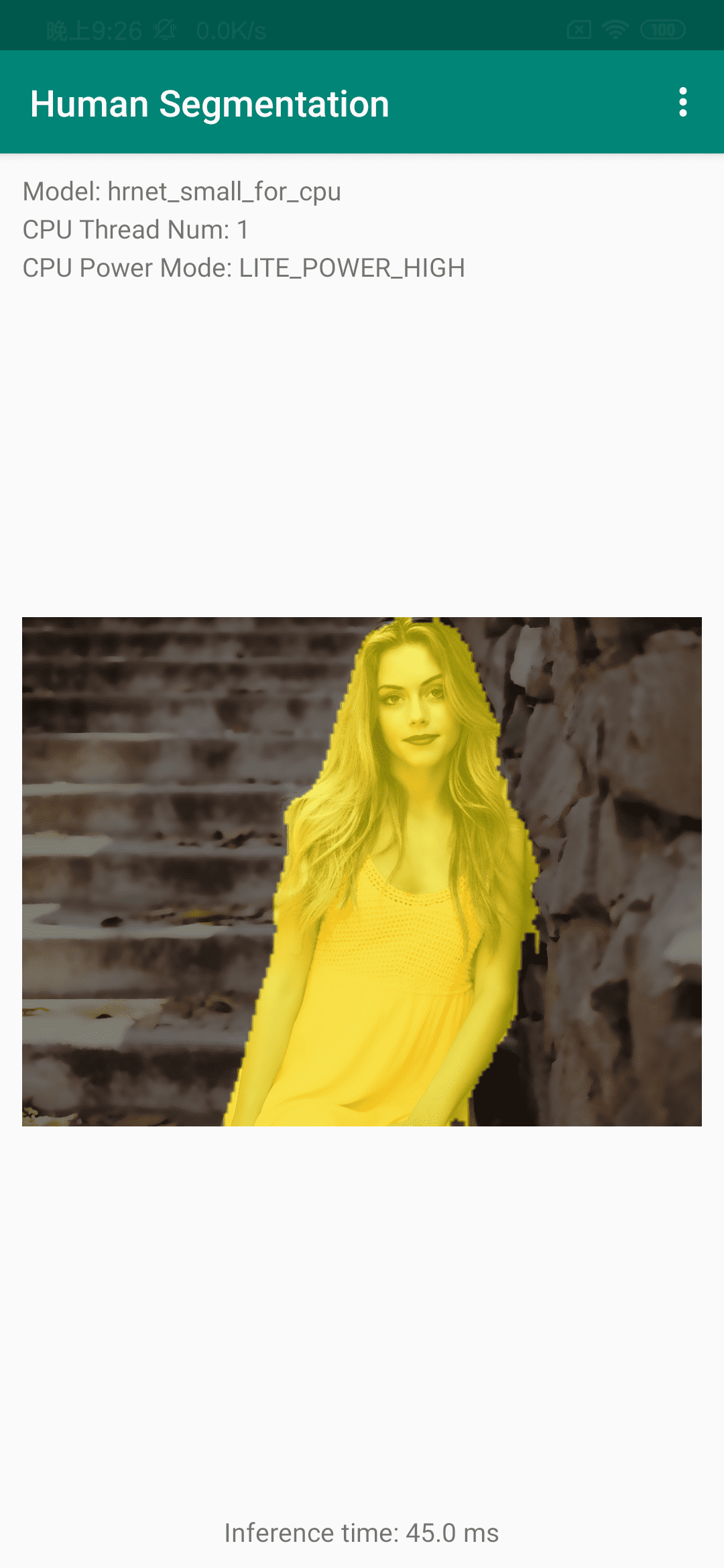
Deployment on web, refer to [doc](../../docs/deployment/web/web.md).

