# Native and Compact Structured Latents for 3D Generation




 https://github.com/user-attachments/assets/63b43a7e-acc7-4c81-a900-6da450527d8f
*(Compressed version due to GitHub size limits. See the full-quality video on our project page!)*
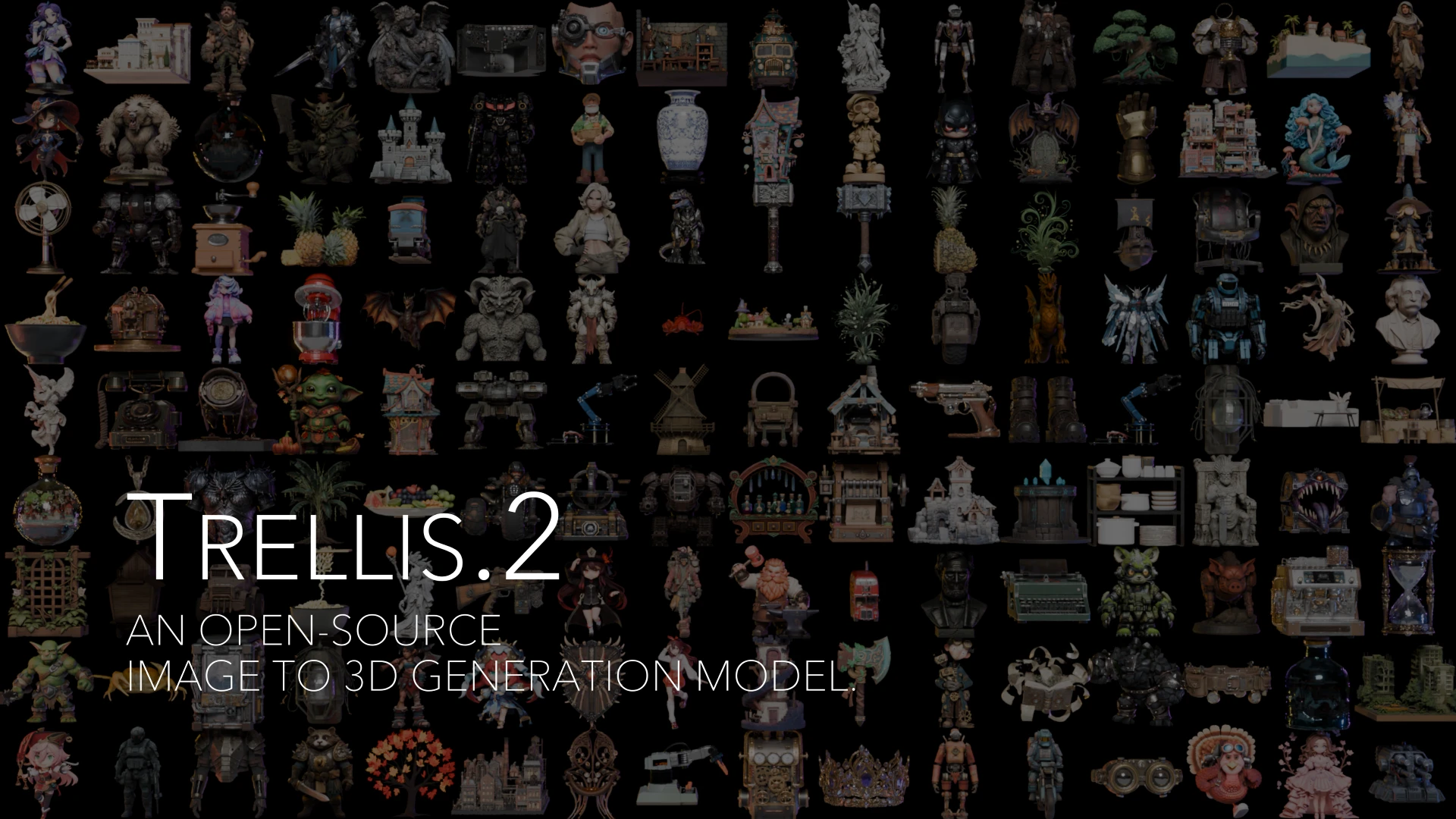
**TRELLIS.2** is a state-of-the-art large 3D generative model (4B parameters) designed for high-fidelity **image-to-3D** generation. It leverages a novel "field-free" sparse voxel structure termed **O-Voxel** to reconstruct and generate arbitrary 3D assets with complex topologies, sharp features, and full PBR materials.
## ✨ Features
### 1. High Quality, Resolution & Efficiency
Our 4B-parameter model generates high-resolution fully textured assets with exceptional fidelity and efficiency using vanilla DiTs. It utilizes a Sparse 3D VAE with 16× spatial downsampling to encode assets into a compact latent space.
| Resolution | Total Time* | Breakdown (Shape + Mat) |
| :--- | :--- | :--- |
| **512³** | **~3s** | 2s + 1s |
| **1024³** | **~17s** | 10s + 7s |
| **1536³** | **~60s** | 35s + 25s |
*Tested on NVIDIA H100 GPU.
### 2. Arbitrary Topology Handling
The **O-Voxel** representation breaks the limits of iso-surface fields. It robustly handles complex structures without lossy conversion:
* ✅ **Open Surfaces** (e.g., clothing, leaves)
* ✅ **Non-manifold Geometry**
* ✅ **Internal Enclosed Structures**
### 3. Rich Texture Modeling
Beyond basic colors, TRELLIS.2 models arbitrary surface attributes including **Base Color, Roughness, Metallic, and Opacity**, enabling photorealistic rendering and transparency support.
### 4. Minimalist Processing
Data processing is streamlined for instant conversions that are fully **rendering-free** and **optimization-free**.
* **< 10s** (Single CPU): Textured Mesh → O-Voxel
* **< 100ms** (CUDA): O-Voxel → Textured Mesh
## 🗺️ Roadmap
- [x] Paper release
- [x] Release image-to-3D inference code
- [x] Release pretrained checkpoints (4B)
- [x] Hugging Face Spaces demo
- [x] Release shape-conditioned texture generation inference code
- [x] Release training code
## 🛠️ Installation
### Prerequisites
- **System**: Linux only.
- **Hardware**: An NVIDIA GPU (verified on A100/H100, 24GB+ recommended) or AMD GPU (verified on RX 9070 XT 16GB under ROCm).
- **Software**:
- **CUDA**: [CUDA Toolkit](https://developer.nvidia.com/cuda-toolkit-archive) 12.4 recommended.
- **ROCm**: [ROCm](https://rocm.docs.amd.com/en/latest/) 7.2 recommended.
- Python 3.10 or higher required.
### Installation Steps
1. Clone the repo:
```sh
git clone -b rocm https://github.com/Cardboard-box-a/TRELLIS.2_rocm.git --recursive
cd TRELLIS.2_rocm
```
2. Install PyTorch into your environment **before** running `setup.sh`. Use the index URL matching your platform:
**CUDA:**
```sh
pip install torch==2.6.0 torchvision==0.21.0 --index-url https://download.pytorch.org/whl/cu124
```
**ROCm:**
```sh
pip install torch torchvision --index-url https://download.pytorch.org/whl/rocm7.2
```
3. Install the dependencies:
```sh
. ./setup.sh --basic --flash-attn --nvdiffrast --nvdiffrec --cumesh --o-voxel --flexgemm
```
Notes:
- `setup.sh` auto-detects CUDA vs ROCm and installs the appropriate variants.
- All packages including nvdiffrast and nvdiffrec work on both CUDA and ROCm.
- The installation may take a while — flash-attention builds from source on ROCm. Install flags one at a time if you hit issues.
- Run `. ./setup.sh --help` for the full list of flags.
## AMD ROCm Support
This branch has been tested on an **AMD RX 9070 XT 16GB** (gfx1201) under ROCm. The setup script auto-detects CUDA vs ROCm and installs the appropriate dependencies.
### Installation (ROCm)
First install ROCm PyTorch, then run setup:
```sh
pip install torch torchvision --index-url https://download.pytorch.org/whl/rocm7.2
export FLASH_ATTENTION_TRITON_AMD_ENABLE="TRUE"
. ./setup.sh --basic --flash-attn --cumesh --o-voxel --flexgemm --nvdiffrast --nvdiffrec
```
### Running
Flash Attention on ROCm requires the Triton backend. Export this before running:
```sh
export FLASH_ATTENTION_TRITON_AMD_ENABLE="TRUE"
python app.py
```
If you prefer not to use Flash Attention, SDPA (Scaled Dot-Product Attention) is also supported. Set the attention backend before running:
```sh
export ATTN_BACKEND="sdpa"
python app.py
```
### AMD GPU Architecture
The `--flash-attn` step in `setup.sh` compiles for `gfx1201` (RX 9070 / RX 9070 XT) by default. If you have a different AMD GPU, edit the `GPU_ARCHS` line in `setup.sh` before running. Check your GPU's gfx architecture with `rocminfo | grep gfx`.
## 📦 Pretrained Weights
The pretrained model **TRELLIS.2-4B** is available on Hugging Face. Please refer to the model card there for more details.
| Model | Parameters | Resolution | Link |
| :--- | :--- | :--- | :--- |
| **TRELLIS.2-4B** | 4 Billion | 512³ - 1536³ | [Hugging Face](https://huggingface.co/microsoft/TRELLIS.2-4B) |
## 🚀 Usage
### 1. Image to 3D Generation
#### Minimal Example
Here is an [example](example.py) of how to use the pretrained models for 3D asset generation.
```python
import os
os.environ['OPENCV_IO_ENABLE_OPENEXR'] = '1'
os.environ["PYTORCH_CUDA_ALLOC_CONF"] = "expandable_segments:True" # Can save GPU memory
import cv2
import imageio
from PIL import Image
import torch
from trellis2.pipelines import Trellis2ImageTo3DPipeline
from trellis2.utils import render_utils
from trellis2.renderers import EnvMap
import o_voxel
# 1. Setup Environment Map
envmap = EnvMap(torch.tensor(
cv2.cvtColor(cv2.imread('assets/hdri/forest.exr', cv2.IMREAD_UNCHANGED), cv2.COLOR_BGR2RGB),
dtype=torch.float32, device='cuda'
))
# 2. Load Pipeline
pipeline = Trellis2ImageTo3DPipeline.from_pretrained("microsoft/TRELLIS.2-4B")
pipeline.cuda()
# 3. Load Image & Run
image = Image.open("assets/example_image/T.png")
mesh = pipeline.run(image)[0]
mesh.simplify(16777216) # nvdiffrast limit
# 4. Render Video
video = render_utils.make_pbr_vis_frames(render_utils.render_video(mesh, envmap=envmap))
imageio.mimsave("sample.mp4", video, fps=15)
# 5. Export to GLB
glb = o_voxel.postprocess.to_glb(
vertices = mesh.vertices,
faces = mesh.faces,
attr_volume = mesh.attrs,
coords = mesh.coords,
attr_layout = mesh.layout,
voxel_size = mesh.voxel_size,
aabb = [[-0.5, -0.5, -0.5], [0.5, 0.5, 0.5]],
decimation_target = 1000000,
texture_size = 4096,
remesh = True,
remesh_band = 1,
remesh_project = 0,
verbose = True
)
glb.export("sample.glb", extension_webp=True)
```
Upon execution, the script generates the following files:
- `sample.mp4`: A video visualizing the generated 3D asset with PBR materials and environmental lighting.
- `sample.glb`: The extracted PBR-ready 3D asset in GLB format.
**Note:** The `.glb` file is exported in `OPAQUE` mode by default. Although the alpha channel is preserved within the texture map, it is not active initially. To enable transparency, import the asset into your 3D software and manually connect the texture's alpha channel to the material's opacity or alpha input.
#### Web Demo
[app.py](app.py) provides a simple web demo for image to 3D asset generation. you can run the demo with the following command:
```sh
python app.py
```
Then, you can access the demo at the address shown in the terminal.
### 2. PBR Texture Generation
Please refer to the [example_texturing.py](example_texturing.py) for an example of how to generate PBR textures for a given 3D shape. Also, you can use the [app_texturing.py](app_texturing.py) to run a web demo for PBR texture generation.
## 🏋️ Training
We provide the full training codebase, enabling users to train **TRELLIS.2** from scratch or fine-tune it on custom datasets.
### 1. Data Preparation
Before training, raw 3D assets must be converted into the **O-Voxel** representation. This process includes mesh conversion, compact structured latent generation, and metadata preparation.
> 📂 **Please refer to [data_toolkit/README.md](data_toolkit/README.md) for detailed instructions on data preprocessing and dataset organization.**
### 2. Running Training
Training is managed through the `train.py` script, which accepts multiple command-line arguments to configure experiments:
* `--config`: Path to the experiment configuration file.
* `--output_dir`: Directory for training outputs.
* `--load_dir`: Directory to load checkpoints from (defaults to `output_dir`).
* `--ckpt`: Checkpoint step to resume from (defaults to the latest).
* `--data_dir`: Dataset path or a JSON string specifying dataset locations.
* `--auto_retry`: Number of automatic retries upon failure.
* `--tryrun`: Perform a dry run without actual training.
* `--profile`: Enable training profiling.
* `--num_nodes`: Number of nodes for distributed training.
* `--node_rank`: Rank of the current node.
* `--num_gpus`: Number of GPUs per node (defaults to all available GPUs).
* `--master_addr`: Master node address for distributed training.
* `--master_port`: Port for distributed training communication.
### SC-VAE Training
To train the shape SC-VAE, run:
```sh
python train.py \
--config configs/scvae/shape_vae_next_dc_f16c32_fp16.json \
--output_dir results/shape_vae_next_dc_f16c32_fp16 \
--data_dir "{\"ObjaverseXL_sketchfab\": {\"base\": \"datasets/ObjaverseXL_sketchfab\", \"mesh_dump\": \"datasets/ObjaverseXL_sketchfab/mesh_dumps\", \"dual_grid\": \"datasets/ObjaverseXL_sketchfab/dual_grid_256\", \"asset_stats\": \"datasets/ObjaverseXL_sketchfab/asset_stats\"}}"
```
This command trains the shape SC-VAE on the **Objaverse-XL** dataset using the `shape_vae_next_dc_f16c32_fp16.json` configuration. Training outputs will be saved to `results/shape_vae_next_dc_f16c32_fp16`.
The dataset is specified as a JSON string, where each dataset entry includes:
* `base`: Root directory of the dataset.
* `mesh_dump`: Directory containing preprocessed mesh dumps.
* `dual_grid`: Directory with precomputed dual-grid representations.
* `asset_stats`: Directory containing precomputed asset statistics.
To fine-tune the model at a higher resolution, use the `shape_vae_next_dc_f16c32_fp16_ft_512.json` configuration. Remember to update the `finetune_ckpt` field and adjust the dataset paths accordingly.
To train the texture SC-VAE, run:
```sh
python train.py \
--config configs/scvae/tex_vae_next_dc_f16c32_fp16.json \
--output_dir results/tex_vae_next_dc_f16c32_fp16 \
--data_dir "{\"ObjaverseXL_sketchfab\": {\"base\": \"datasets/ObjaverseXL_sketchfab\", \"pbr_dump\": \"datasets/ObjaverseXL_sketchfab/pbr_dumps\", \"pbr_voxel\": \"datasets/ObjaverseXL_sketchfab/pbr_voxels_256\", \"asset_stats\": \"datasets/ObjaverseXL_sketchfab/asset_stats\"}}"
```
### Flow Model Training
To train the sparse structure flow model, run:
```sh
python train.py \
--config configs/gen/ss_flow_img_dit_1_3B_64_bf16.json \
--output_dir results/ss_flow_img_dit_1_3B_64_bf16 \
--data_dir "{\"ObjaverseXL_sketchfab\": {\"base\": \"datasets/ObjaverseXL_sketchfab\", \"ss_latent\": \"datasets/ObjaverseXL_sketchfab/ss_latents/ss_enc_conv3d_16l8_fp16_64\", \"render_cond\": \"datasets/ObjaverseXL_sketchfab/renders_cond\"}}"
```
This command trains the sparse-structure flow model on the **Objaverse-XL** dataset using the specified configuration file. Outputs are saved to `results/ss_flow_img_dit_1_3B_64_bf16`.
The dataset configuration includes:
* `base`: Root dataset directory.
* `ss_latent`: Directory containing precomputed sparse-structure latents.
* `render_cond`: Directory containing conditional rendering images.
The second- and third-stage flow models for shape and texture generation can be trained using the following configurations:
* Shape flow: `slat_flow_img2shape_dit_1_3B_512_bf16.json`
* Texture flow: `slat_flow_imgshape2tex_dit_1_3B_512_bf16.json`
Example commands:
```sh
# Shape flow model
python train.py \
--config configs/gen/slat_flow_img2shape_dit_1_3B_512_bf16.json \
--output_dir results/slat_flow_img2shape_dit_1_3B_512_bf16 \
--data_dir "{\"ObjaverseXL_sketchfab\": {\"base\": \"datasets/ObjaverseXL_sketchfab\", \"shape_latent\": \"datasets/ObjaverseXL_sketchfab/shape_latents/shape_enc_next_dc_f16c32_fp16_512\", \"render_cond\": \"datasets/ObjaverseXL_sketchfab/renders_cond\"}}"
# Texture flow model
python train.py \
--config configs/gen/slat_flow_imgshape2tex_dit_1_3B_512_bf16.json \
--output_dir results/slat_flow_imgshape2tex_dit_1_3B_512_bf16 \
--data_dir "{\"ObjaverseXL_sketchfab\": {\"base\": \"datasets/ObjaverseXL_sketchfab\", \"shape_latent\": \"datasets/ObjaverseXL_sketchfab/shape_latents/shape_enc_next_dc_f16c32_fp16_512\", \"pbr_latent\": \"datasets/ObjaverseXL_sketchfab/pbr_latents/tex_enc_next_dc_f16c32_fp16_512\", \"render_cond\": \"datasets/ObjaverseXL_sketchfab/renders_cond\"}}"
```
Higher-resolution fine-tuning can be performed by updating the `finetune_ckpt` field in the following configuration files and adjusting the dataset paths accordingly:
* `slat_flow_img2shape_dit_1_3B_512_bf16_ft1024.json`
* `slat_flow_imgshape2tex_dit_1_3B_512_bf16_ft1024.json`
## 🧩 Related Packages
TRELLIS.2 is built upon several specialized high-performance packages developed by our team:
* **[O-Voxel](o-voxel):**
Core library handling the logic for converting between textured meshes and the O-Voxel representation, ensuring instant bidirectional transformation.
* **[FlexGEMM](https://github.com/Cardboard-box-a/FlexGEMM-rocm):**
Efficient sparse convolution implementation based on Triton, enabling rapid processing of sparse voxel structures. This fork adds ROCm/HIP support (ieee precision fix for AMD Triton kernels).
* **[CuMesh](https://github.com/Cardboard-box-a/CuMesh):**
CUDA-accelerated mesh utilities used for high-speed post-processing, remeshing, decimation, and UV-unwrapping. This fork includes ROCm/HIP support.
* **[nvdiffrast-hip](https://github.com/Cardboard-box-a/nvdiffrast-hip):**
HIP/ROCm port of nvdiffrast for AMD GPUs.
## ⚖️ License
This model and code are released under the **[MIT License](LICENSE)**.
Please note that certain dependencies operate under separate license terms:
- [**nvdiffrast**](https://github.com/NVlabs/nvdiffrast): Utilized for rendering generated 3D assets. This package is governed by its own [License](https://github.com/NVlabs/nvdiffrast/blob/main/LICENSE.txt).
- [**nvdiffrec**](https://github.com/Cardboard-box-a/nvdiffrec): Implements the split-sum renderer for PBR materials. This fork adds ROCm/HIP support. Governed by its own [License](https://github.com/NVlabs/nvdiffrec/blob/main/LICENSE.txt).
## 📚 Citation
If you find this model useful for your research, please cite our work:
```bibtex
@article{
xiang2025trellis2,
title={Native and Compact Structured Latents for 3D Generation},
author={Xiang, Jianfeng and Chen, Xiaoxue and Xu, Sicheng and Wang, Ruicheng and Lv, Zelong and Deng, Yu and Zhu, Hongyuan and Dong, Yue and Zhao, Hao and Yuan, Nicholas Jing and Yang, Jiaolong},
journal={Tech report},
year={2025}
}
```
https://github.com/user-attachments/assets/63b43a7e-acc7-4c81-a900-6da450527d8f
*(Compressed version due to GitHub size limits. See the full-quality video on our project page!)*
**TRELLIS.2** is a state-of-the-art large 3D generative model (4B parameters) designed for high-fidelity **image-to-3D** generation. It leverages a novel "field-free" sparse voxel structure termed **O-Voxel** to reconstruct and generate arbitrary 3D assets with complex topologies, sharp features, and full PBR materials.
## ✨ Features
### 1. High Quality, Resolution & Efficiency
Our 4B-parameter model generates high-resolution fully textured assets with exceptional fidelity and efficiency using vanilla DiTs. It utilizes a Sparse 3D VAE with 16× spatial downsampling to encode assets into a compact latent space.
| Resolution | Total Time* | Breakdown (Shape + Mat) |
| :--- | :--- | :--- |
| **512³** | **~3s** | 2s + 1s |
| **1024³** | **~17s** | 10s + 7s |
| **1536³** | **~60s** | 35s + 25s |
*Tested on NVIDIA H100 GPU.
### 2. Arbitrary Topology Handling
The **O-Voxel** representation breaks the limits of iso-surface fields. It robustly handles complex structures without lossy conversion:
* ✅ **Open Surfaces** (e.g., clothing, leaves)
* ✅ **Non-manifold Geometry**
* ✅ **Internal Enclosed Structures**
### 3. Rich Texture Modeling
Beyond basic colors, TRELLIS.2 models arbitrary surface attributes including **Base Color, Roughness, Metallic, and Opacity**, enabling photorealistic rendering and transparency support.
### 4. Minimalist Processing
Data processing is streamlined for instant conversions that are fully **rendering-free** and **optimization-free**.
* **< 10s** (Single CPU): Textured Mesh → O-Voxel
* **< 100ms** (CUDA): O-Voxel → Textured Mesh
## 🗺️ Roadmap
- [x] Paper release
- [x] Release image-to-3D inference code
- [x] Release pretrained checkpoints (4B)
- [x] Hugging Face Spaces demo
- [x] Release shape-conditioned texture generation inference code
- [x] Release training code
## 🛠️ Installation
### Prerequisites
- **System**: Linux only.
- **Hardware**: An NVIDIA GPU (verified on A100/H100, 24GB+ recommended) or AMD GPU (verified on RX 9070 XT 16GB under ROCm).
- **Software**:
- **CUDA**: [CUDA Toolkit](https://developer.nvidia.com/cuda-toolkit-archive) 12.4 recommended.
- **ROCm**: [ROCm](https://rocm.docs.amd.com/en/latest/) 7.2 recommended.
- Python 3.10 or higher required.
### Installation Steps
1. Clone the repo:
```sh
git clone -b rocm https://github.com/Cardboard-box-a/TRELLIS.2_rocm.git --recursive
cd TRELLIS.2_rocm
```
2. Install PyTorch into your environment **before** running `setup.sh`. Use the index URL matching your platform:
**CUDA:**
```sh
pip install torch==2.6.0 torchvision==0.21.0 --index-url https://download.pytorch.org/whl/cu124
```
**ROCm:**
```sh
pip install torch torchvision --index-url https://download.pytorch.org/whl/rocm7.2
```
3. Install the dependencies:
```sh
. ./setup.sh --basic --flash-attn --nvdiffrast --nvdiffrec --cumesh --o-voxel --flexgemm
```
Notes:
- `setup.sh` auto-detects CUDA vs ROCm and installs the appropriate variants.
- All packages including nvdiffrast and nvdiffrec work on both CUDA and ROCm.
- The installation may take a while — flash-attention builds from source on ROCm. Install flags one at a time if you hit issues.
- Run `. ./setup.sh --help` for the full list of flags.
## AMD ROCm Support
This branch has been tested on an **AMD RX 9070 XT 16GB** (gfx1201) under ROCm. The setup script auto-detects CUDA vs ROCm and installs the appropriate dependencies.
### Installation (ROCm)
First install ROCm PyTorch, then run setup:
```sh
pip install torch torchvision --index-url https://download.pytorch.org/whl/rocm7.2
export FLASH_ATTENTION_TRITON_AMD_ENABLE="TRUE"
. ./setup.sh --basic --flash-attn --cumesh --o-voxel --flexgemm --nvdiffrast --nvdiffrec
```
### Running
Flash Attention on ROCm requires the Triton backend. Export this before running:
```sh
export FLASH_ATTENTION_TRITON_AMD_ENABLE="TRUE"
python app.py
```
If you prefer not to use Flash Attention, SDPA (Scaled Dot-Product Attention) is also supported. Set the attention backend before running:
```sh
export ATTN_BACKEND="sdpa"
python app.py
```
### AMD GPU Architecture
The `--flash-attn` step in `setup.sh` compiles for `gfx1201` (RX 9070 / RX 9070 XT) by default. If you have a different AMD GPU, edit the `GPU_ARCHS` line in `setup.sh` before running. Check your GPU's gfx architecture with `rocminfo | grep gfx`.
## 📦 Pretrained Weights
The pretrained model **TRELLIS.2-4B** is available on Hugging Face. Please refer to the model card there for more details.
| Model | Parameters | Resolution | Link |
| :--- | :--- | :--- | :--- |
| **TRELLIS.2-4B** | 4 Billion | 512³ - 1536³ | [Hugging Face](https://huggingface.co/microsoft/TRELLIS.2-4B) |
## 🚀 Usage
### 1. Image to 3D Generation
#### Minimal Example
Here is an [example](example.py) of how to use the pretrained models for 3D asset generation.
```python
import os
os.environ['OPENCV_IO_ENABLE_OPENEXR'] = '1'
os.environ["PYTORCH_CUDA_ALLOC_CONF"] = "expandable_segments:True" # Can save GPU memory
import cv2
import imageio
from PIL import Image
import torch
from trellis2.pipelines import Trellis2ImageTo3DPipeline
from trellis2.utils import render_utils
from trellis2.renderers import EnvMap
import o_voxel
# 1. Setup Environment Map
envmap = EnvMap(torch.tensor(
cv2.cvtColor(cv2.imread('assets/hdri/forest.exr', cv2.IMREAD_UNCHANGED), cv2.COLOR_BGR2RGB),
dtype=torch.float32, device='cuda'
))
# 2. Load Pipeline
pipeline = Trellis2ImageTo3DPipeline.from_pretrained("microsoft/TRELLIS.2-4B")
pipeline.cuda()
# 3. Load Image & Run
image = Image.open("assets/example_image/T.png")
mesh = pipeline.run(image)[0]
mesh.simplify(16777216) # nvdiffrast limit
# 4. Render Video
video = render_utils.make_pbr_vis_frames(render_utils.render_video(mesh, envmap=envmap))
imageio.mimsave("sample.mp4", video, fps=15)
# 5. Export to GLB
glb = o_voxel.postprocess.to_glb(
vertices = mesh.vertices,
faces = mesh.faces,
attr_volume = mesh.attrs,
coords = mesh.coords,
attr_layout = mesh.layout,
voxel_size = mesh.voxel_size,
aabb = [[-0.5, -0.5, -0.5], [0.5, 0.5, 0.5]],
decimation_target = 1000000,
texture_size = 4096,
remesh = True,
remesh_band = 1,
remesh_project = 0,
verbose = True
)
glb.export("sample.glb", extension_webp=True)
```
Upon execution, the script generates the following files:
- `sample.mp4`: A video visualizing the generated 3D asset with PBR materials and environmental lighting.
- `sample.glb`: The extracted PBR-ready 3D asset in GLB format.
**Note:** The `.glb` file is exported in `OPAQUE` mode by default. Although the alpha channel is preserved within the texture map, it is not active initially. To enable transparency, import the asset into your 3D software and manually connect the texture's alpha channel to the material's opacity or alpha input.
#### Web Demo
[app.py](app.py) provides a simple web demo for image to 3D asset generation. you can run the demo with the following command:
```sh
python app.py
```
Then, you can access the demo at the address shown in the terminal.
### 2. PBR Texture Generation
Please refer to the [example_texturing.py](example_texturing.py) for an example of how to generate PBR textures for a given 3D shape. Also, you can use the [app_texturing.py](app_texturing.py) to run a web demo for PBR texture generation.
## 🏋️ Training
We provide the full training codebase, enabling users to train **TRELLIS.2** from scratch or fine-tune it on custom datasets.
### 1. Data Preparation
Before training, raw 3D assets must be converted into the **O-Voxel** representation. This process includes mesh conversion, compact structured latent generation, and metadata preparation.
> 📂 **Please refer to [data_toolkit/README.md](data_toolkit/README.md) for detailed instructions on data preprocessing and dataset organization.**
### 2. Running Training
Training is managed through the `train.py` script, which accepts multiple command-line arguments to configure experiments:
* `--config`: Path to the experiment configuration file.
* `--output_dir`: Directory for training outputs.
* `--load_dir`: Directory to load checkpoints from (defaults to `output_dir`).
* `--ckpt`: Checkpoint step to resume from (defaults to the latest).
* `--data_dir`: Dataset path or a JSON string specifying dataset locations.
* `--auto_retry`: Number of automatic retries upon failure.
* `--tryrun`: Perform a dry run without actual training.
* `--profile`: Enable training profiling.
* `--num_nodes`: Number of nodes for distributed training.
* `--node_rank`: Rank of the current node.
* `--num_gpus`: Number of GPUs per node (defaults to all available GPUs).
* `--master_addr`: Master node address for distributed training.
* `--master_port`: Port for distributed training communication.
### SC-VAE Training
To train the shape SC-VAE, run:
```sh
python train.py \
--config configs/scvae/shape_vae_next_dc_f16c32_fp16.json \
--output_dir results/shape_vae_next_dc_f16c32_fp16 \
--data_dir "{\"ObjaverseXL_sketchfab\": {\"base\": \"datasets/ObjaverseXL_sketchfab\", \"mesh_dump\": \"datasets/ObjaverseXL_sketchfab/mesh_dumps\", \"dual_grid\": \"datasets/ObjaverseXL_sketchfab/dual_grid_256\", \"asset_stats\": \"datasets/ObjaverseXL_sketchfab/asset_stats\"}}"
```
This command trains the shape SC-VAE on the **Objaverse-XL** dataset using the `shape_vae_next_dc_f16c32_fp16.json` configuration. Training outputs will be saved to `results/shape_vae_next_dc_f16c32_fp16`.
The dataset is specified as a JSON string, where each dataset entry includes:
* `base`: Root directory of the dataset.
* `mesh_dump`: Directory containing preprocessed mesh dumps.
* `dual_grid`: Directory with precomputed dual-grid representations.
* `asset_stats`: Directory containing precomputed asset statistics.
To fine-tune the model at a higher resolution, use the `shape_vae_next_dc_f16c32_fp16_ft_512.json` configuration. Remember to update the `finetune_ckpt` field and adjust the dataset paths accordingly.
To train the texture SC-VAE, run:
```sh
python train.py \
--config configs/scvae/tex_vae_next_dc_f16c32_fp16.json \
--output_dir results/tex_vae_next_dc_f16c32_fp16 \
--data_dir "{\"ObjaverseXL_sketchfab\": {\"base\": \"datasets/ObjaverseXL_sketchfab\", \"pbr_dump\": \"datasets/ObjaverseXL_sketchfab/pbr_dumps\", \"pbr_voxel\": \"datasets/ObjaverseXL_sketchfab/pbr_voxels_256\", \"asset_stats\": \"datasets/ObjaverseXL_sketchfab/asset_stats\"}}"
```
### Flow Model Training
To train the sparse structure flow model, run:
```sh
python train.py \
--config configs/gen/ss_flow_img_dit_1_3B_64_bf16.json \
--output_dir results/ss_flow_img_dit_1_3B_64_bf16 \
--data_dir "{\"ObjaverseXL_sketchfab\": {\"base\": \"datasets/ObjaverseXL_sketchfab\", \"ss_latent\": \"datasets/ObjaverseXL_sketchfab/ss_latents/ss_enc_conv3d_16l8_fp16_64\", \"render_cond\": \"datasets/ObjaverseXL_sketchfab/renders_cond\"}}"
```
This command trains the sparse-structure flow model on the **Objaverse-XL** dataset using the specified configuration file. Outputs are saved to `results/ss_flow_img_dit_1_3B_64_bf16`.
The dataset configuration includes:
* `base`: Root dataset directory.
* `ss_latent`: Directory containing precomputed sparse-structure latents.
* `render_cond`: Directory containing conditional rendering images.
The second- and third-stage flow models for shape and texture generation can be trained using the following configurations:
* Shape flow: `slat_flow_img2shape_dit_1_3B_512_bf16.json`
* Texture flow: `slat_flow_imgshape2tex_dit_1_3B_512_bf16.json`
Example commands:
```sh
# Shape flow model
python train.py \
--config configs/gen/slat_flow_img2shape_dit_1_3B_512_bf16.json \
--output_dir results/slat_flow_img2shape_dit_1_3B_512_bf16 \
--data_dir "{\"ObjaverseXL_sketchfab\": {\"base\": \"datasets/ObjaverseXL_sketchfab\", \"shape_latent\": \"datasets/ObjaverseXL_sketchfab/shape_latents/shape_enc_next_dc_f16c32_fp16_512\", \"render_cond\": \"datasets/ObjaverseXL_sketchfab/renders_cond\"}}"
# Texture flow model
python train.py \
--config configs/gen/slat_flow_imgshape2tex_dit_1_3B_512_bf16.json \
--output_dir results/slat_flow_imgshape2tex_dit_1_3B_512_bf16 \
--data_dir "{\"ObjaverseXL_sketchfab\": {\"base\": \"datasets/ObjaverseXL_sketchfab\", \"shape_latent\": \"datasets/ObjaverseXL_sketchfab/shape_latents/shape_enc_next_dc_f16c32_fp16_512\", \"pbr_latent\": \"datasets/ObjaverseXL_sketchfab/pbr_latents/tex_enc_next_dc_f16c32_fp16_512\", \"render_cond\": \"datasets/ObjaverseXL_sketchfab/renders_cond\"}}"
```
Higher-resolution fine-tuning can be performed by updating the `finetune_ckpt` field in the following configuration files and adjusting the dataset paths accordingly:
* `slat_flow_img2shape_dit_1_3B_512_bf16_ft1024.json`
* `slat_flow_imgshape2tex_dit_1_3B_512_bf16_ft1024.json`
## 🧩 Related Packages
TRELLIS.2 is built upon several specialized high-performance packages developed by our team:
* **[O-Voxel](o-voxel):**
Core library handling the logic for converting between textured meshes and the O-Voxel representation, ensuring instant bidirectional transformation.
* **[FlexGEMM](https://github.com/Cardboard-box-a/FlexGEMM-rocm):**
Efficient sparse convolution implementation based on Triton, enabling rapid processing of sparse voxel structures. This fork adds ROCm/HIP support (ieee precision fix for AMD Triton kernels).
* **[CuMesh](https://github.com/Cardboard-box-a/CuMesh):**
CUDA-accelerated mesh utilities used for high-speed post-processing, remeshing, decimation, and UV-unwrapping. This fork includes ROCm/HIP support.
* **[nvdiffrast-hip](https://github.com/Cardboard-box-a/nvdiffrast-hip):**
HIP/ROCm port of nvdiffrast for AMD GPUs.
## ⚖️ License
This model and code are released under the **[MIT License](LICENSE)**.
Please note that certain dependencies operate under separate license terms:
- [**nvdiffrast**](https://github.com/NVlabs/nvdiffrast): Utilized for rendering generated 3D assets. This package is governed by its own [License](https://github.com/NVlabs/nvdiffrast/blob/main/LICENSE.txt).
- [**nvdiffrec**](https://github.com/Cardboard-box-a/nvdiffrec): Implements the split-sum renderer for PBR materials. This fork adds ROCm/HIP support. Governed by its own [License](https://github.com/NVlabs/nvdiffrec/blob/main/LICENSE.txt).
## 📚 Citation
If you find this model useful for your research, please cite our work:
```bibtex
@article{
xiang2025trellis2,
title={Native and Compact Structured Latents for 3D Generation},
author={Xiang, Jianfeng and Chen, Xiaoxue and Xu, Sicheng and Wang, Ruicheng and Lv, Zelong and Deng, Yu and Zhu, Hongyuan and Dong, Yue and Zhao, Hao and Yuan, Nicholas Jing and Yang, Jiaolong},
journal={Tech report},
year={2025}
}
```