# MiniCPM-V
**MiniCPM-V**是面向图文理解的端侧多模态大模型系列。该系列模型接受图像和文本输入,并提供高质量的文本输出。
## 论文
- [MiniCPM: Unveiling the Potential of Small Language Models with Scalable Training Strategies](https://arxiv.org/abs/2404.06395)
## 模型结构
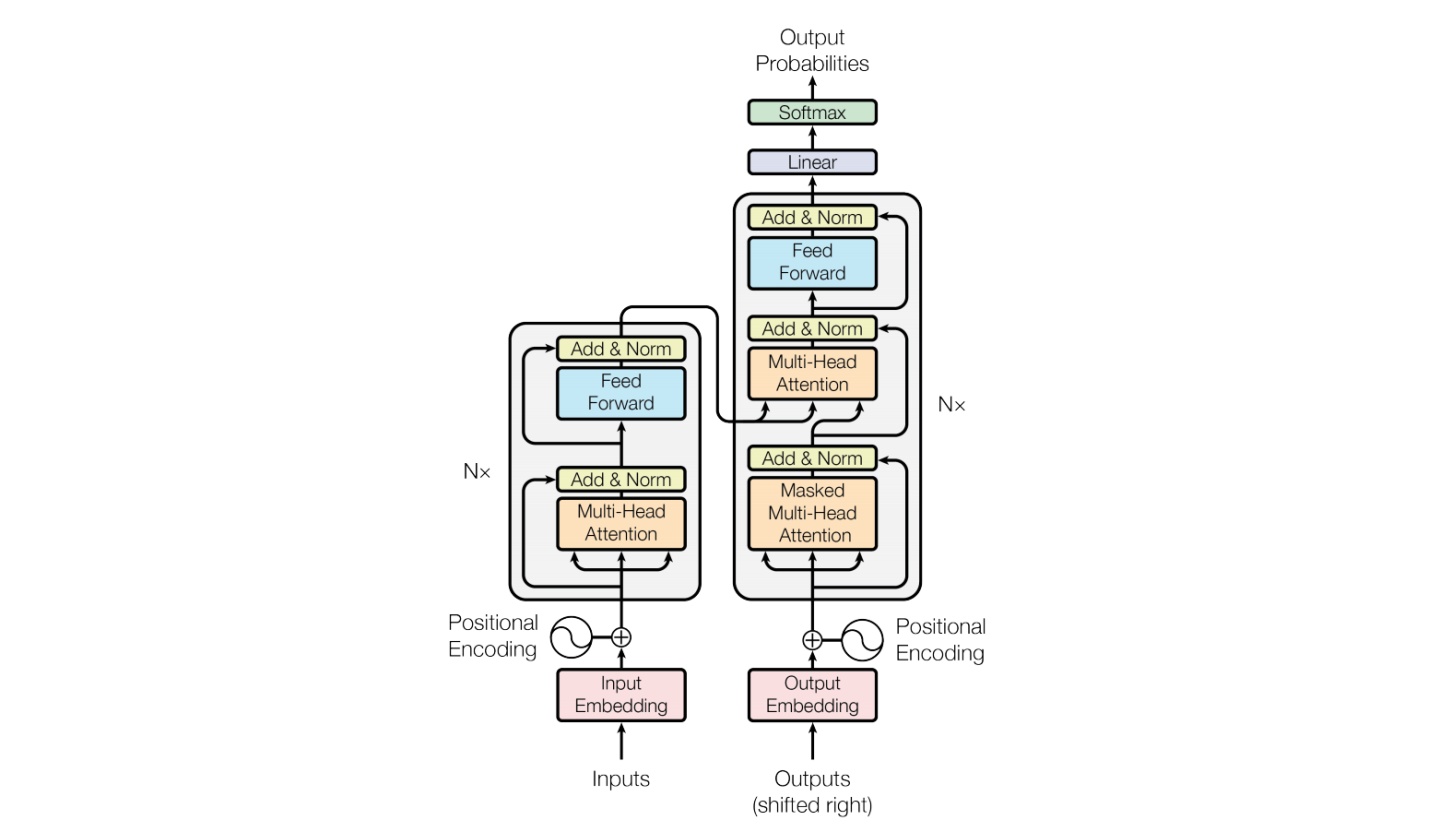
MiniCPM 是面壁智能与清华大学自然语言处理实验室共同开源的系列端侧大模型,主体语言模型 MiniCPM-2B 仅有 24亿(2.4B)的非词嵌入参数量, 总计2.7B参数量。
## 算法原理
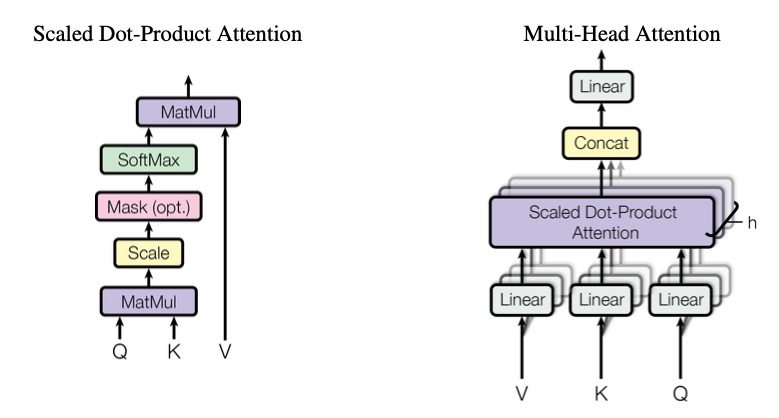
该模型基于 MiniCPM 2.4B 和 SigLip-400M 构建,共拥有 2.8B 参数。MiniCPM-V 2.0 具有领先的光学字符识别(OCR)和多模态理解能力。该模型在综合性 OCR 能力评测基准 OCRBench 上达到开源模型最佳水平,甚至在场景文字理解方面实现接近 Gemini Pro 的性能。
## 环境配置
### Docker(方法一)
[光源](https://www.sourcefind.cn/#/service-details)拉取docker镜像的地址与使用步骤
```
docker pull image.sourcefind.cn:5000/dcu/admin/base/pytorch:2.3.0-ubuntu22.04-dtk24.04.3-py3.10
docker run -it -v /path/your_code_data/:/path/your_code_data/ -v /opt/hyhal/:/opt/hyhal/:ro --shm-size=64G --network=host --ipc=host --privileged=true --device=/dev/kfd --device=/dev/dri/ --group-add video --name minicpm-v bash
cd /path/your_code_data/
pip install -r requirements.txt -i http://mirrors.aliyun.com/pypi/simple/ --trusted-host mirrors.aliyun.com
```
### Dockerfile(方法二)
```
cd /path/your_code_data/docker
docker build --no-cache -t minicpm-v:latest .
docker run --shm-size=64G --name minicpm-v -v /opt/hyhal:/opt/hyhal:ro --privileged=true --device=/dev/kfd --device=/dev/dri/ --group-add video -v /path/your_code_data/:/path/your_code_data/ -it minicpm-v bash
```
### Anaconda(方法三)
关于本项目DCU显卡所需的特殊深度学习库可从[光合](https://developer.sourcefind.cn/tool/)开发者社区下载安装。
```
DTK驱动:dtk24.04.03
python:python3.10
torch:2.3
torchvision: 0.18.
deepspped: 0.14.2
```
`Tips:以上dtk驱动、python、paddle等DCU相关工具版本需要严格一一对应`
关于本项目DCU显卡所需的特殊深度学习库可从[光合](https://developer.sourcefind.cn/tool/)开发者社区下载安装。
```
conda create -n minicpm-v python=3.10
conda activate minicpm-v
cd /path/your_code_data/
pip install -r requirements.txt -i http://mirrors.aliyun.com/pypi/simple
```
## 数据集
迷你数据集 [self_build](data/self_build/) 需要将对应json文件中的路径改为本地路径
本仓库提供自建数据集用于训练代码测试。预训练需要准备你的训练数据,需要将所有样本放到一个列表中并存入json文件中。每个样本对应一个字典,示例如下所示。用于正常训练的完整数据集请按此目录结构进行制备:
```
[
{
"id": "0",
"image": 'path/to/image_0.jpg',
"conversations": [
{
'role': 'user',
'content': '\nHow many desserts are on the white plate?'
},
{
'role': 'assistant',
'content': 'There are three desserts on the white plate.'
},
{
'role': 'user',
'content': 'What type of desserts are they?'
},
{
'role': 'assistant',
'content': 'The desserts are cakes with bananas and pecans on top. They share similarities with donuts, but the presence of bananas and pecans differentiates them.'
},
{
'role': 'user',
'content': 'What is the setting of the image?'},
{
'role': 'assistant',
'content': 'The image is set on a table top with a plate containing the three desserts.'
},
]
},
]
```
## 训练
训练需将finetune文件夹中的[finetune_ds.sh](./finetune/finetune_ds.sh)中修改以下参数
```
MODEL="XXXXXX/MiniCPM-Llama3-V-2_5" # or 修改为本地模型地址
DATA="data/self_build/data/train_data/train_data.json" # 本地自定义训练集json文件
EVAL_DATA="data/self_build/data/eval_data/eval_data.json" # 本地自定义验证集json文件
--output_dir /saves/MiniCPM-Llama3-V-2_5/lora_train_dtk \
--logging_dir /saves/MiniCPM-Llama3-V-2_5/lora_train_dtk \
```
### 多卡分布式训练
```
cd finetune
sh finetune_ds.sh
```
## 推理
执行多种任务时需要对以下参数进行修改
model_path = 'XXXXXX/MiniCPM-Llama3-V-2_5' # 修改为本地模型路径
### 单机单卡
```
sh web_demo_2.5.sh
```
### 单机多卡
```
sh web_demo_2.5_multi.sh
```
## result
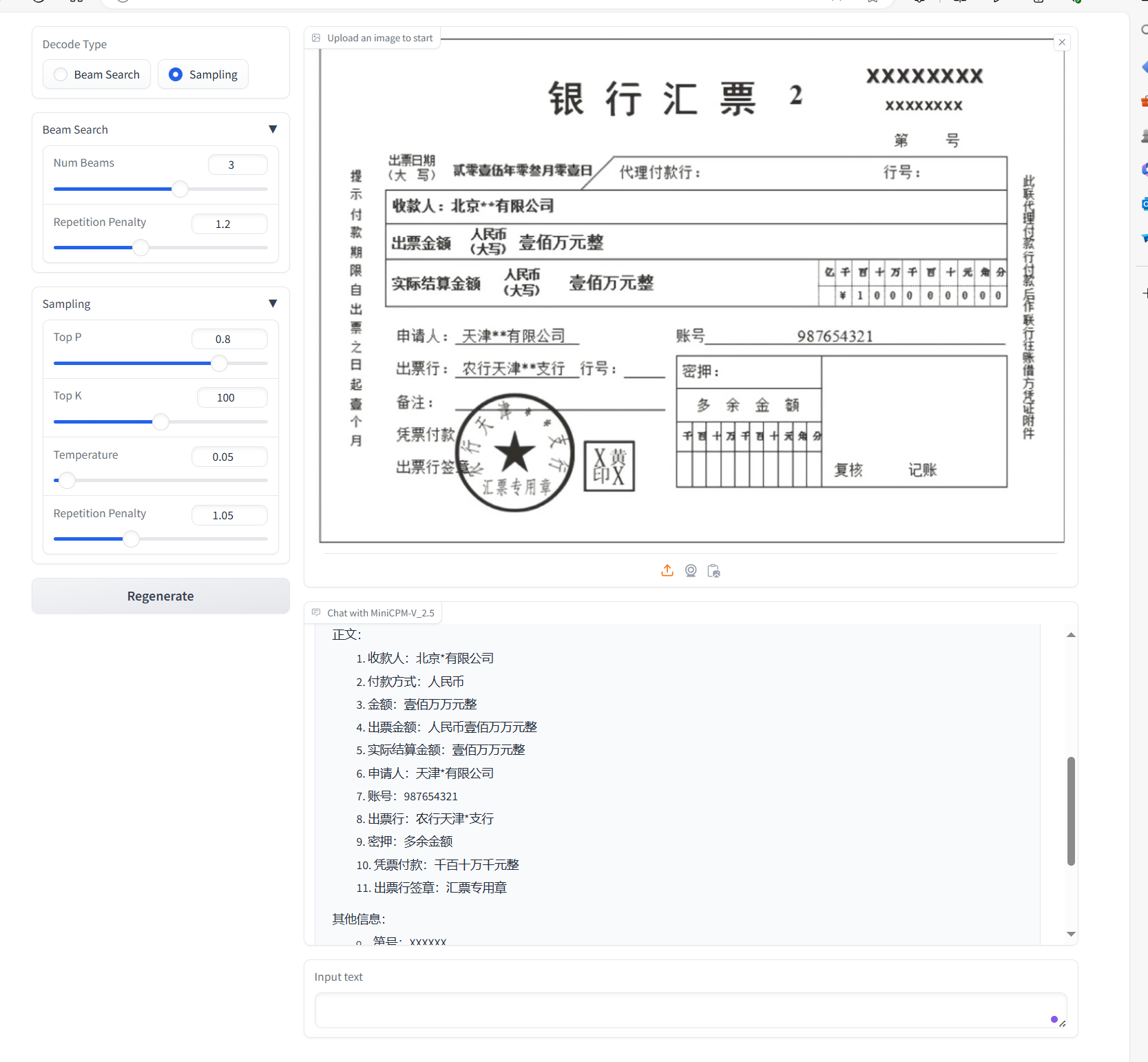
### 银行汇票OCR
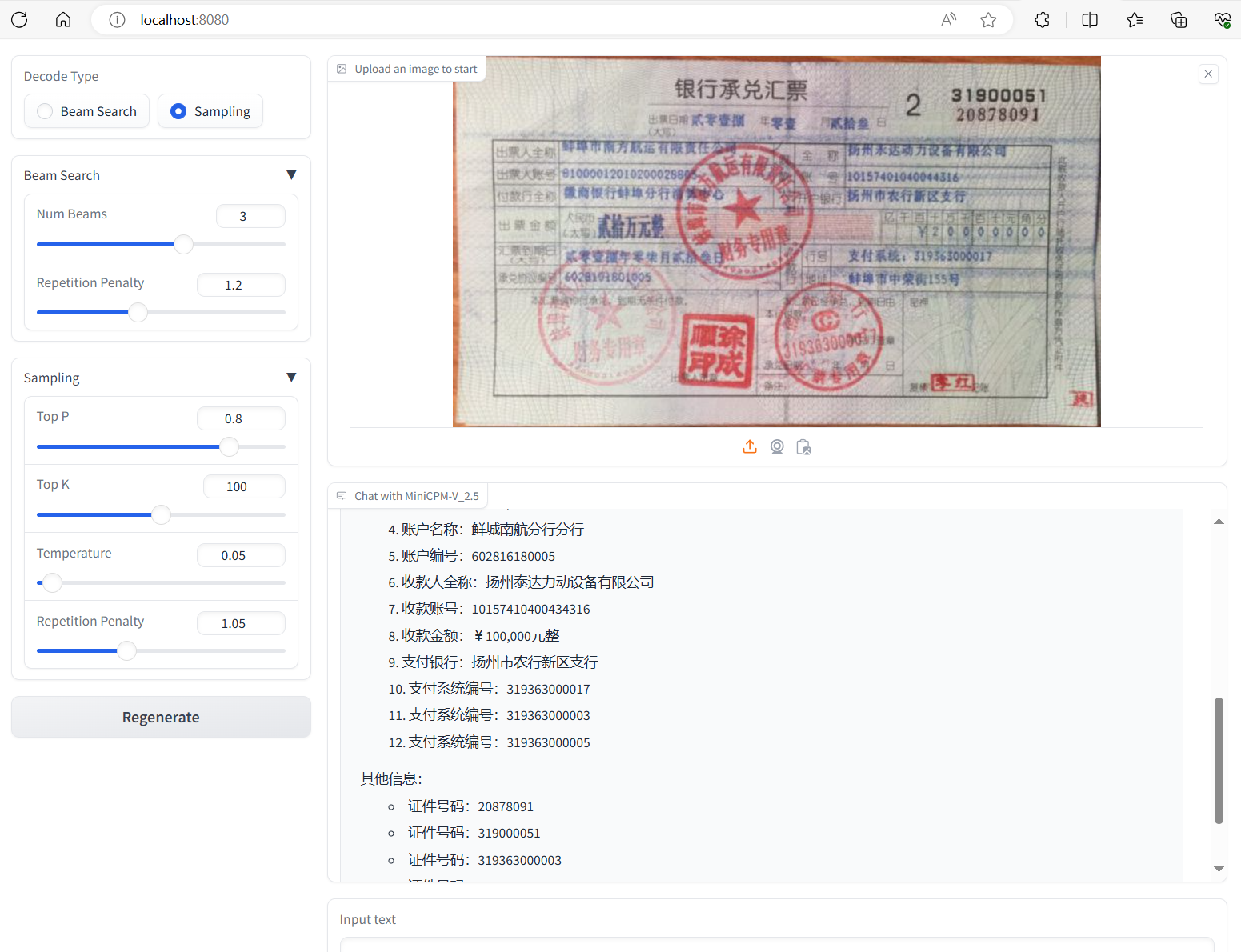
### 承兑汇票OCR
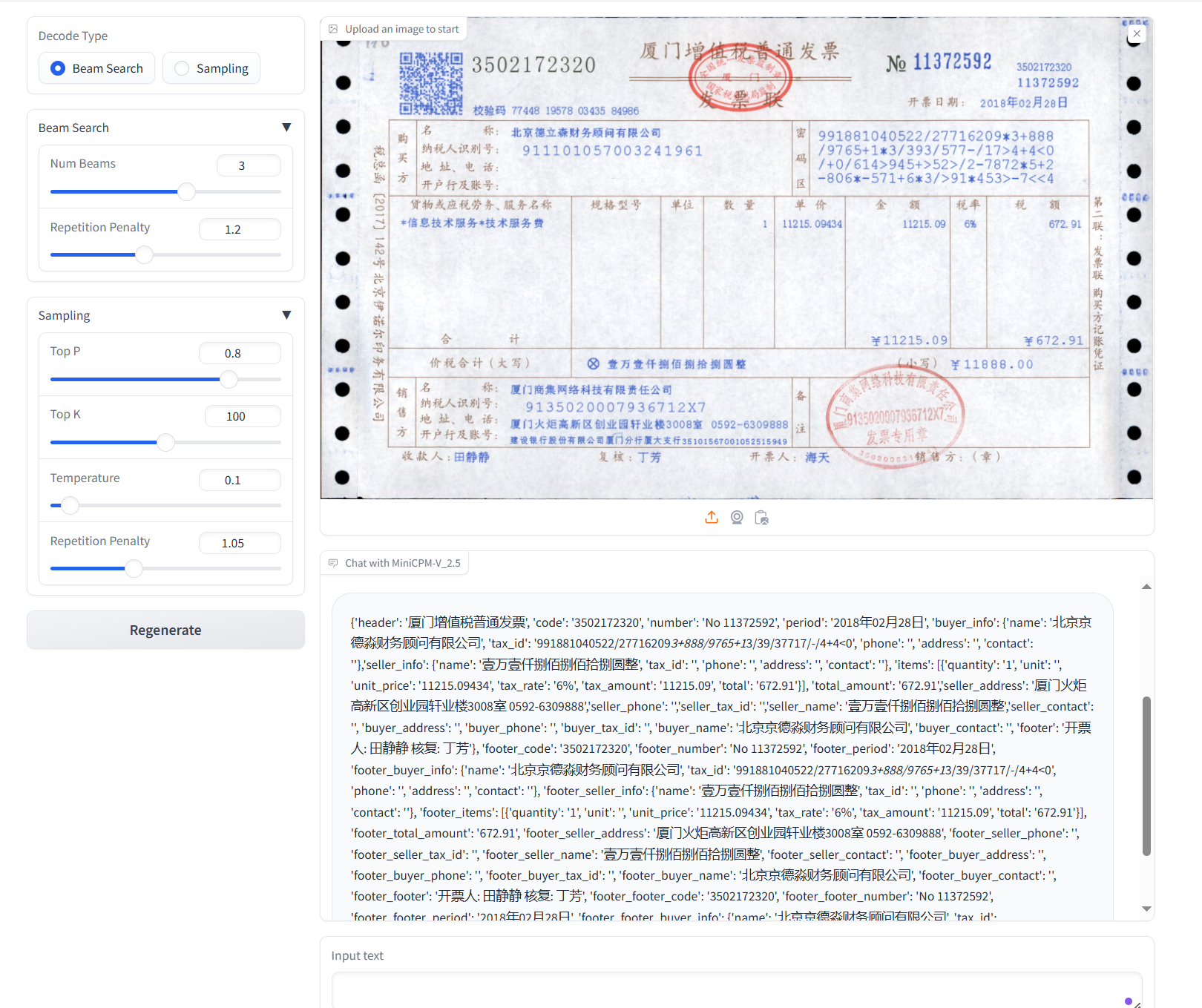
### 发票OCR
### 精度
测试数据: [self_build](data/self_build/) ,使用的加速卡:A800/K100/K100AI。
| device | train_loss | eval_loss |
| :------: | :------: | :------: |
| A800 * 4 | 0.05989 | 0.4031 |
| K100 * 4 | 0.058 | 0.424 |
| K100AI * 4 | 0.05912 | 0.430 |
## 应用场景
### 算法类别
`ocr`
### 热点应用行业
`金融,教育,政府,科研,制造,能源,交通`
## 预训练权重
- [openbmb/MiniCPM-Llama3-V-2_5](https://huggingface.co/openbmb/MiniCPM-Llama3-V-2_5)
## 源码仓库及问题反馈
- https://developer.sourcefind.cn/codes/modelzoo/minicpm-v_pytorch
## 参考资料
- [MiniCPM: Unveiling the Potential of Small Language Models with Scalable Training Strategies](https://arxiv.org/abs/2404.06395)
- [MiniCPM-V github](https://github.com/OpenBMB/MiniCPM-V?tab=readme-ov-file)