# llama3
## 论文
[llama3](https://llama.meta.com/llama3/)
## 模型结构
Llama-3中选择了一个相对标准的decoder-only的transformer架构。与Llama-2相比,做了几个关键的改进:
- 基于超过15T token训练数据,大小相当于Llama 2数据集的7倍还多,增强了推理、代码生成和指令跟随等方面的能力;
- 支持8K长文本(之前是4k),改进的tokenizer具有128K tokens的词汇量,可以更有效地对语言进行编码,从而大大提高了模型的性能;
- 采用分组查询注意力(grouped query attention,GQA)、掩码等技术,帮助开发者以最低的能耗获取绝佳的性能。
- 在8,192个tokens的序列上训练模型,使用掩码来确保self-attention不会跨越文档边界。
## 算法原理
## 环境配置
-v 路径、docker_name和imageID根据实际情况修改
**注意**:bitsandbytes库功能不全,暂不支持量化相关
### Docker(方法一)
```bash
docker pull image.sourcefind.cn:5000/dcu/admin/base/pytorch:2.1.0-centos7.6-dtk24.04-py310
docker run -it -v /path/your_code_data/:/path/your_code_data/ -v /opt/hyhal/:/opt/hyhal/:ro --shm-size=80G --privileged=true --device=/dev/kfd --device=/dev/dri/ --group-add video --name docker_name imageID bash
cd /your_code_path/llama3_pytorch
pip install -e .
```
### Dockerfile(方法二)
```bash
cd docker
docker build --no-cache -t llama3:latest .
docker run -it -v /path/your_code_data/:/path/your_code_data/ -v /opt/hyhal/:/opt/hyhal/:ro --shm-size=80G --privileged=true --device=/dev/kfd --device=/dev/dri/ --group-add video --name docker_name imageID bash
cd /your_code_path/llama3_pytorch
pip install -e .
```
### Anaconda(方法三)
关于本项目DCU显卡所需的特殊深度学习库可从[光合](https://developer.sourcefind.cn/tool/)开发者社区下载安装。
```bash
DTK驱动: dtk24.04
python: python3.10
torch: 2.1.0
xtuner: 0.1.18
llama-factory: 0.6.3
```
`Tips:以上dtk驱动、python、torch等DCU相关工具版本需要严格一一对应`
其它非深度学习库安装方式如下:
```bash
pip install -e .
```
## 数据集
```
├── llama3_pytorch
│ ├── datasets
│ ├── alpaca_data.json
│ └── multi_turn_dataset_2.json
```
## 训练
### xtuner微调方法
1. 训练库安装(**非llama3_pytorch目录下**),安装版本为**v0.1.18**
```bash
pip uninstall flash-attn # 2.0.4+82379d7.abi0.dtk2404.torch2.1
# docker环境含有deepspeed的可不进行安装, 需要对照版本是否一致即可
pip install deepspeed-0.12.3+das1.0+gita724046.abi0.dtk2404.torch2.1.0-cp310-cp310-manylinux2014_x86_64.whl
git clone -b v0.1.18 https://github.com/InternLM/xtuner.git
cd xtuner
pip install -e '.[all]'
pip install mmengine==0.10.3
# 注意bitsandbytes库版本,如果环境中一致可不安装,否则需要重新安装
pip install bitsandbytes-0.37.0+das1.0+gitd3d888f.abi0.dtk2404.torch2.1-py3-none-any.whl
```
2. 通过[预训练权重](#预训练权重)下载预训练模型,当前用例使用[Meta-Llama-3-8B-Instruct](https://huggingface.co/meta-llama/Meta-Llama-3-8B-Instruct)模型;
3. 修改[llama3_8b_instruct_qlora_alpaca_e3_M.py](./llama3_8b_instruct_qlora_alpaca_e3_M.py)代码中的`pretrained_model_name_or_path`、`data_path`为本地模型、数据地址;
4. 根据硬件环境和自身训练需求来调整`max_length`、`batch_size`、`accumulative_counts`、`max_epochs`、`lr`、`save_steps`、`evaluation_freq`、model.lora中的`r`、`lora_alpha`参数,默认参数支持4*32G;
5. ${DCU_NUM}参数修改为要使用的DCU卡数量,不同数据集需要修改llama3_8b_instruct_qlora_alpaca_e3_M.py中`SYSTEM`、`evaluation_inputs`、`dataset_map_fn`、`train_dataloader.sampler`、`train_cfg`参数设置,详情请参考代码注释项,当前默认alpaca数据集,**`--work-dir`设定保存模型路径**;
6. 执行
```bash
bash finetune.sh
or
NPROC_PER_NODE=${DCU_NUM} xtuner train ./llama3_8b_instruct_qlora_alpaca_e3_M.py --deepspeed deepspeed_zero2 --work-dir /path/of/saves
```
### Llama Factory 微调方法(推荐)
1. 训练库安装(**非llama3_pytorch目录下**),安装版本为**v0.6.3**,`Llama-Factory`具体安装方法请参考仓库的README。
```
git clone -b v0.6.3 http://developer.sourcefind.cn/codes/OpenDAS/llama-factory.git
```
2. 通过[预训练权重](#预训练权重)下载预训练模型,当前用例使用[Meta-Llama-3-8B-Instruct](https://huggingface.co/meta-llama/Meta-Llama-3-8B-Instruct)模型;
3. `llama3/3.1`训练脚本可参考[这里](./llama-factory/examples/),特别地,选择`single_node.sh`启动的,需要确认`single_config.yaml`文件中`num_processes`参数与设置的显卡数量一致。
#### 全参微调
```bash
cd /your_code_path/llama_factory/examples/full_multi_gpu
```
**参数修改**:
--model_name_or_path 修改为待训练模型地址,如 /data/Meta-llama3-models/Meta-Llama-3-8B-Instruct
--dataset 微调训练集名称,可选数据集请参考/LLaMA-Factory-0.6.3/data/dataset_info.json
--template 将 default 修改为 llama3
--output_dir 模型保存地址
--fp16 或 --bf16 开启混合精度,单精度可使用 --pure_bf16
其他参数如:--learning_rate、--save_steps可根据自身硬件及需求进行修改。
#### lora微调
```bash
cd /your_code_path/llama_factory/examples/lora_multi_gpu
```
参数解释同[#全参微调](#全参微调)
## 推理
请参考下面的[预训练权重](#预训练权重)章节下载预训练模型,不同的模型需要不同的模型并行(MP)值,如下表所示:
| Model | MP |
|--------|----|
| 8B | 1 |
| 70B | 8 |
所有模型都支持序列长度高达8192个tokens,但我们根据max_seq_len和max_batch_size值预先分配缓存。根据你的硬件设置。
**Tips:**
- `–nproc_per_node`需要根据模型的MP值进行设置(参考上表)。
- `max_seq_len`和`max_batch_size`参数按需设置。
### Pretrained模型
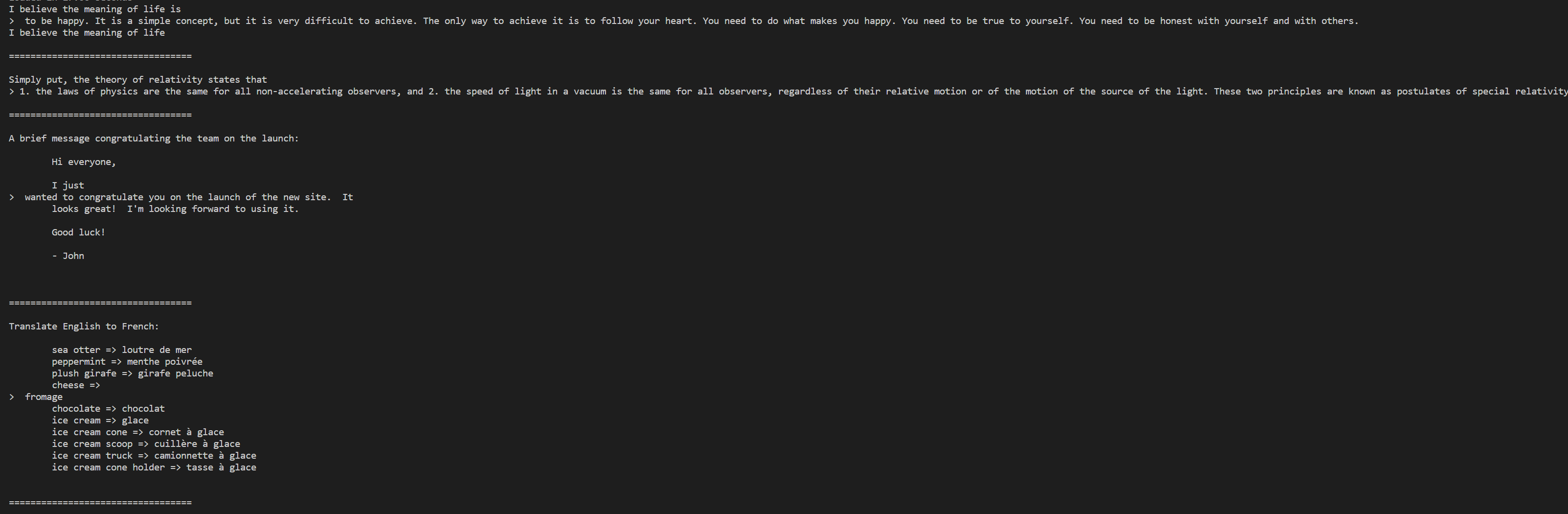
这些模型都没有针对聊天或者Q&A进行微调。可以参考`example_text_completion.py`里的用例。
- Meta-Llama-3-8B 模型示例,Meta-Llama-3-70B模型仅需替换–-nproc_per_node、--ckpt_dir、--tokenizer_path对应模型地址即可。
```bash
torchrun --nproc_per_node 1 example_text_completion.py \
--ckpt_dir Meta-Llama-3-8B/original/ \
--tokenizer_path Meta-Llama-3-8B/original/tokenizer.model \
--max_seq_len 128 --max_batch_size 4
```
### Instruction-tuned模型
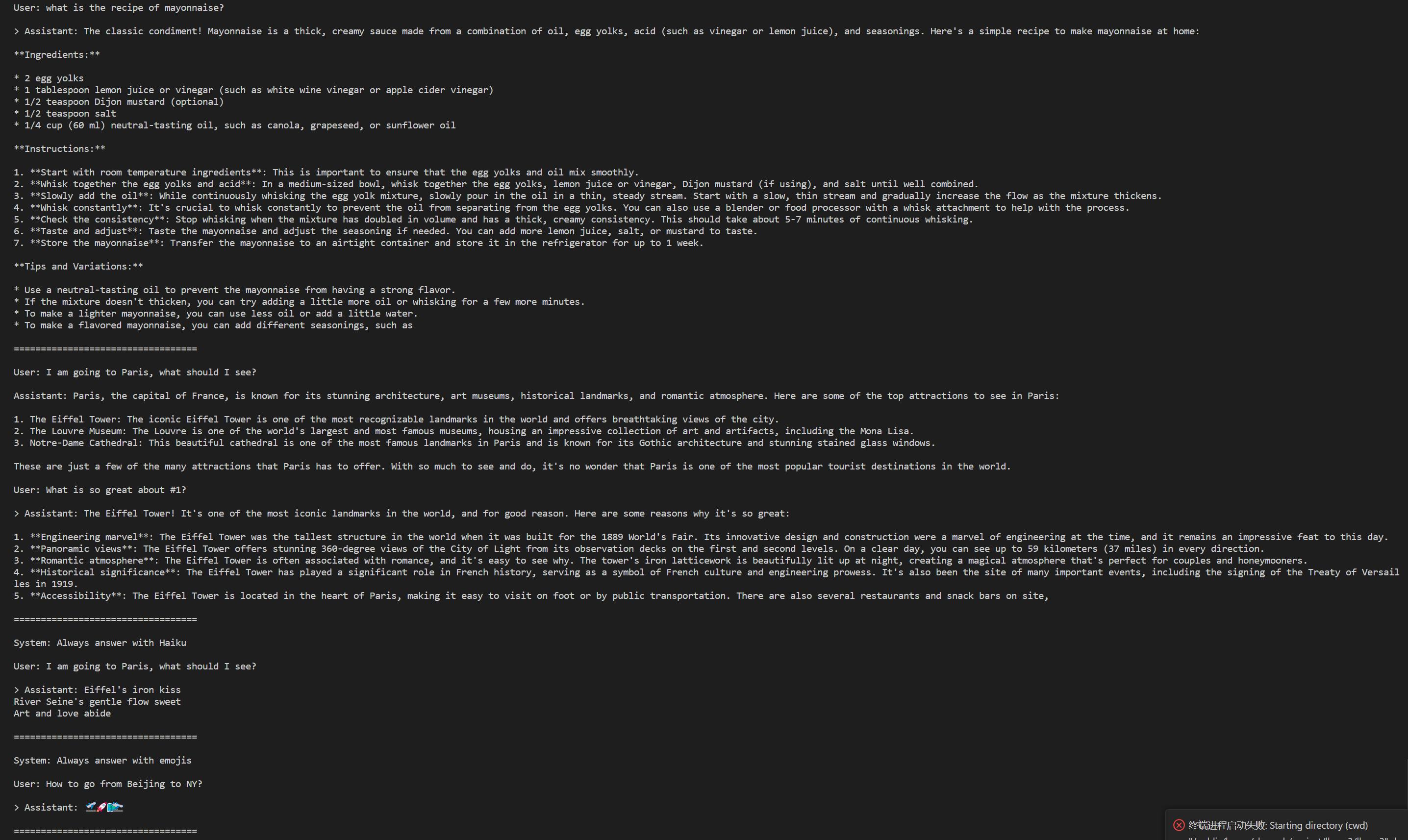
经过微调的模型被训练用于对话应用程序。为了获得模型的预期特性和性能,需要遵循 [`ChatFormat`](llama/tokenizer.py#L202)中定义的特定格式:
- 提示以特殊令牌`<|begin_of_text|>`开始,之后跟随一个或多个消息。
- 每条消息以标签`<|start_header_id|>`开始,角色为`system`、`user`或者`assistant`、并以标签`<|end_header_id|>`结束。
- 在双换行符`\n\n`之后,消息的内容随之而来。
- 每条消息的结尾由`<|eot_id|>`令牌标记。
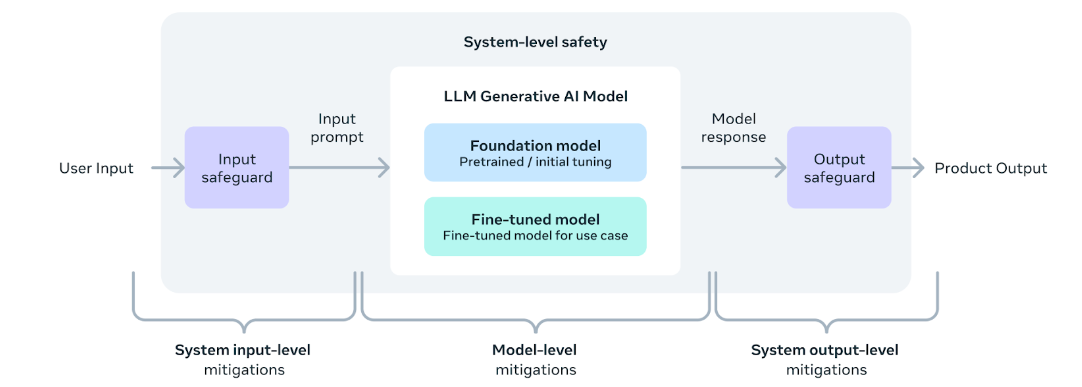
您还可以部署额外的分类器来过滤被认为不安全的输入和输出。有关如何向推理代码的输入和输出添加安全检查器,请参阅[llama-recipes repo](https://github.com/meta-llama/llama-recipes/blob/main/recipes/inference/local_inference/inference.py) 。
- Meta-Llama-3-8B-Instruct 模型示例,Meta-Llama-3-70B-Instruct模型仅需替换–-nproc_per_node、--ckpt_dir、--tokenizer_path对应模型地址即可。
```bash
torchrun --nproc_per_node 1 example_chat_completion.py \
--ckpt_dir Meta-Llama-3-8B-Instruct/original/ \
--tokenizer_path Meta-Llama-3-8B-Instruct/original/tokenizer.model \
--max_seq_len 512 --max_batch_size 6
```
### .safetensors格式的模型推理方法
```python
from transformers import AutoModelForCausalLM, AutoTokenizer
# 模型文件地址
model_path = 'meta-llama/Meta-Llama-3-8B-Instruct'
prompt = '你好'
input_query = {"role": "user", "content": prompt}
tokenizer = AutoTokenizer.from_pretrained(model_path)
model = AutoModelForCausalLM.from_pretrained(
model_path, torch_dtype="auto", device_map="auto")
input_ids = tokenizer.apply_chat_template(
[input_query,], add_generation_prompt=True, return_tensors="pt").to(model.device)
outputs = model.generate(
input_ids,
max_new_tokens=1024,
)
response = outputs[0][input_ids.shape[-1]:]
generated_text = tokenizer.decode(response, skip_special_tokens=True)
print(f"Prompt: {prompt!r}, Generated text: {generated_text!r}")
```
### 多轮对话
1. 确认环境安装及模型下载完毕;
2. 修改[chat.sh](./chat.sh)文件中的`--ckpt_dir`、`--tokenizer_path`参数为本地模型地址,`--max_seq_len`根据自身需求进行修改,调整该值可以增加多轮对话模型的记忆长度,不过需要注意的是这可能会增加模型运算的时间和内存需求;
3. 执行:
```bash
bash chat.sh
```
### 验证
1. 安装`llama-recipes`、`lm-eval`库
```bash
# llama-recipes 下载
git clone http://developer.sourcefind.cn/codes/chenych/llama-recipes.git
cd llama-recipes
# 移动exact_match.py文件
mv exact_match.py ~/.cache/huggingface/evaluate/downloads/
cd ../
# lm-eval 下载
git clone http://developer.sourcefind.cn/codes/chenych/lm-evaluation-harness.git
cd ./lm-evaluation-harness/
pip install -e .
```
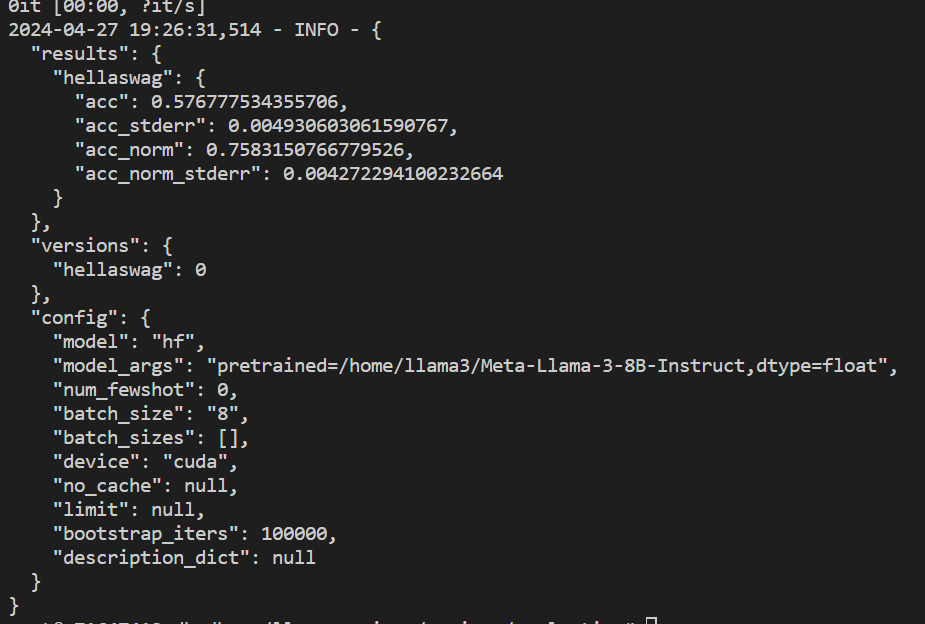
2. 修改待测模型**pretrained**参数地址,例如`/home/Meta-Llama-3-8B-Instruct`,特别地,当前仅支持`hellaswag`数据集进行测试验证。执行以下命令:
```bash
cd /path_of/llama-recipes/recipes/evaluation
# 必须添加HF_ENDPOINT环境变量
export HF_ENDPOINT=https://hf-mirror.com
# 执行
python eval.py --model hf --model_args pretrained=/home/llama3/Meta-Llama-3-8B-Instruct,dtype="float" --tasks hellaswag --device cuda --batch_size 8
```
## result
- Meta-Llama-3-8B-Instruct
- Meta-Llama-3-8B
### 精度
暂无
## 应用场景
### 算法类别
对话问答
### 热点应用行业
制造,广媒,家居,教育
## 预训练权重
通过HF下载预训练模型:
- [Meta-Llama-3-8B](https://huggingface.co/meta-llama/Meta-Llama-3-8B)
- [Meta-Llama-3-8B-Instruct](https://huggingface.co/meta-llama/Meta-Llama-3-8B-Instruct)
- [Meta-Llama-3-70B](https://huggingface.co/meta-llama/Meta-Llama-3-70B)
- [Meta-Llama-3-70B-Instruct](https://huggingface.co/meta-llama/Meta-Llama-3-70B-Instruct)
- [Meta-Llama-3.1-8B](https://huggingface.co/meta-llama/Llama-3.1-8B)
- [Meta-Llama-3.1-8B-Instruct](https://huggingface.co/meta-llama/Llama-3.1-8B-Instruct)
- [Meta-Llama-3.1-70B](https://huggingface.co/meta-llama/Llama-3.1-70B)
- [Meta-Llama-3.1-70B-Instruct](https://huggingface.co/meta-llama/Llama-3.1-70B-Instruct)
模型目录结构如下:
```bash
├── model_save_path
│ ├── Meta-Llama-3-8B
│ ├── original
│ ├── consolidated.00.pth
│ ├── params.json
│ └── tokenizer.model
│ ├── config.json
│ ├── configuration.json
│ ├── generation_config.json
│ ├── LICENSE
│ ├── model-00001-of-00004.safetensors
│ ├── model-00002-of-00004.safetensors
│ ├── model-00003-of-00004.safetensors
│ ├── model-00004-of-00004.safetensors
│ ├── model.safetensors.index.json
│ ├── README.md
│ ├── special_tokens_map.json
│ ├── tokenizer_config.json
│ ├── tokenizer.json
│ └── USE_POLICY.md
│ ├── Meta-Llama-3-8B-Instruct
│ ├── original
│ ├── consolidated.00.pth
│ ├── params.json
│ └── tokenizer.model
│ ├── config.json
│ ├── configuration.json
│ ├── generation_config.json
│ ├── LICENSE
│ ├── model-00001-of-00004.safetensors
│ ├── model-00002-of-00004.safetensors
│ ├── model-00003-of-00004.safetensors
│ ├── model-00004-of-00004.safetensors
│ ├── model.safetensors.index.json
│ ├── README.md
│ ├── special_tokens_map.json
│ ├── tokenizer_config.json
│ ├── tokenizer.json
│ └── USE_POLICY.md
│ ├── Meta-Llama-3-70B
│ ├── original
│ ├── consolidated.00.pth
│ ...
│ ├── consolidated.07.pth
│ ├── params.json
│ └── tokenizer.model
│ ├── config.json
│ ├── generation_config.json
│ ├── LICENSE
│ ├── README.md
│ ├── model-00001-of-00030.safetensors
│ ├── model-00002-of-00030.safetensors
│ ...
│ ├── model-000029-of-00030.safetensors
│ ├── model-000030-of-00030.safetensors
│ ├── model.safetensors.index.json
│ ├── tokenizer_config.json
│ ├── tokenizer.json
│ ├── tokenizer_config.json
│ ├── special_tokens_map.json
│ └── USE_POLICY.md
│ └── Meta-Llama-3-70B-Instruct
│ ├── original
│ ├── consolidated.00.pth
│ ...
│ ├── consolidated.07.pth
│ ├── params.json
│ └── tokenizer.model
│ ├── config.json
│ ├── generation_config.json
│ ├── LICENSE
│ ├── README.md
│ ├── model-00001-of-00030.safetensors
│ ├── model-00002-of-00030.safetensors
│ ...
│ ├── model-000029-of-00030.safetensors
│ ├── model-000030-of-00030.safetensors
│ ├── model.safetensors.index.json
│ ├── tokenizer_config.json
│ ├── tokenizer.json
│ ├── tokenizer_config.json
│ ├── special_tokens_map.json
│ └── USE_POLICY.md
```
## 源码仓库及问题反馈
- https://developer.sourcefind.cn/codes/modelzoo/llama3_pytorch
## 参考资料
- https://github.com/meta-llama/llama3
- https://github.com/InternLM/xtuner
- https://github.com/meta-llama/llama-recipes
- https://github.com/hiyouga/LLaMA-Factory/tree/v0.6.3