# InternVL2
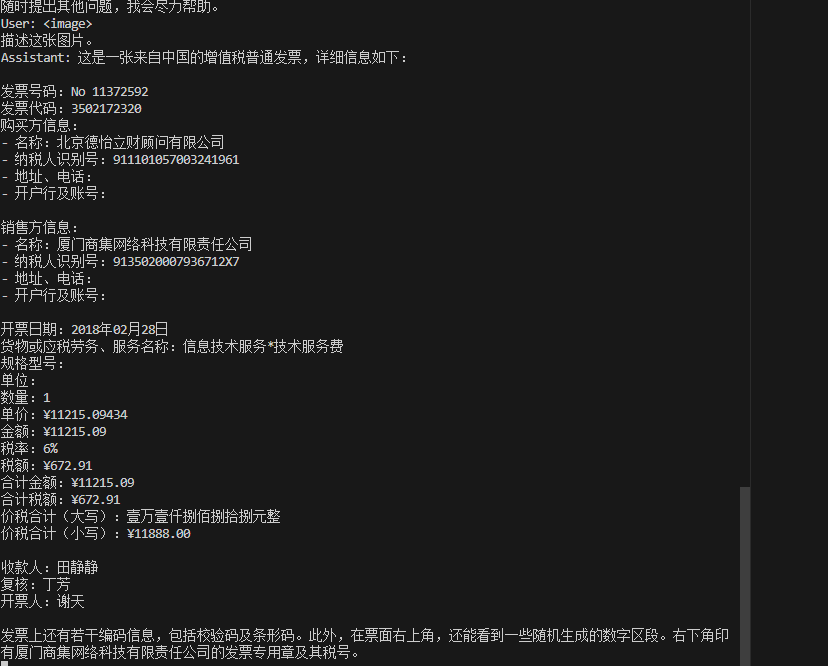
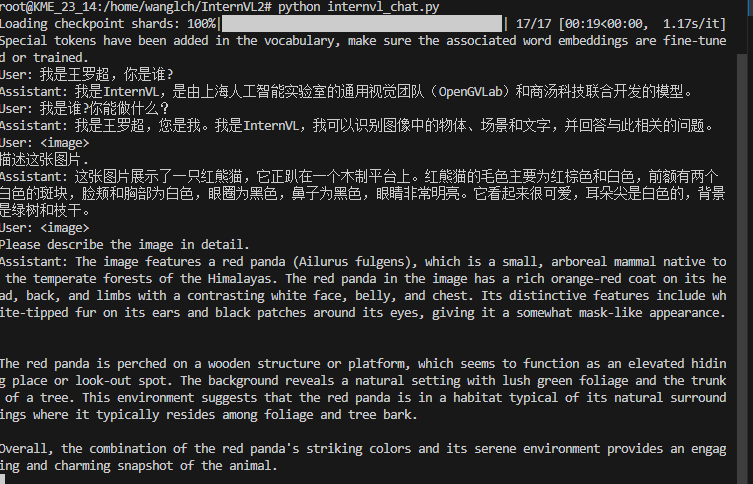
InternVL2是一个开源的多模态大型语言模型,旨在缩小开源模型与商业专有模型在多模态理解方面的能力差距,可用于OCR、视频理解、文档问答。
## 论文
- [InternVL: Scaling up Vision Foundation Models and Aligning for Generic Visual-Linguistic Tasks](https://arxiv.org/abs/2312.14238)
- [How Far Are We to GPT-4V? Closing the Gap to Commercial Multimodal Models with Open-Source Suites](https://arxiv.org/abs/2404.16821)
## 模型结构
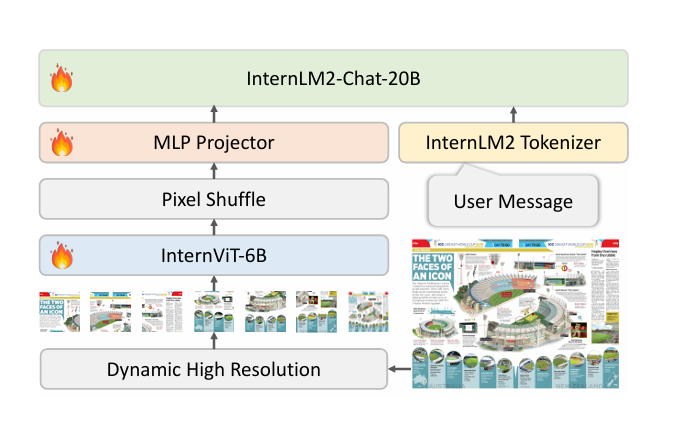
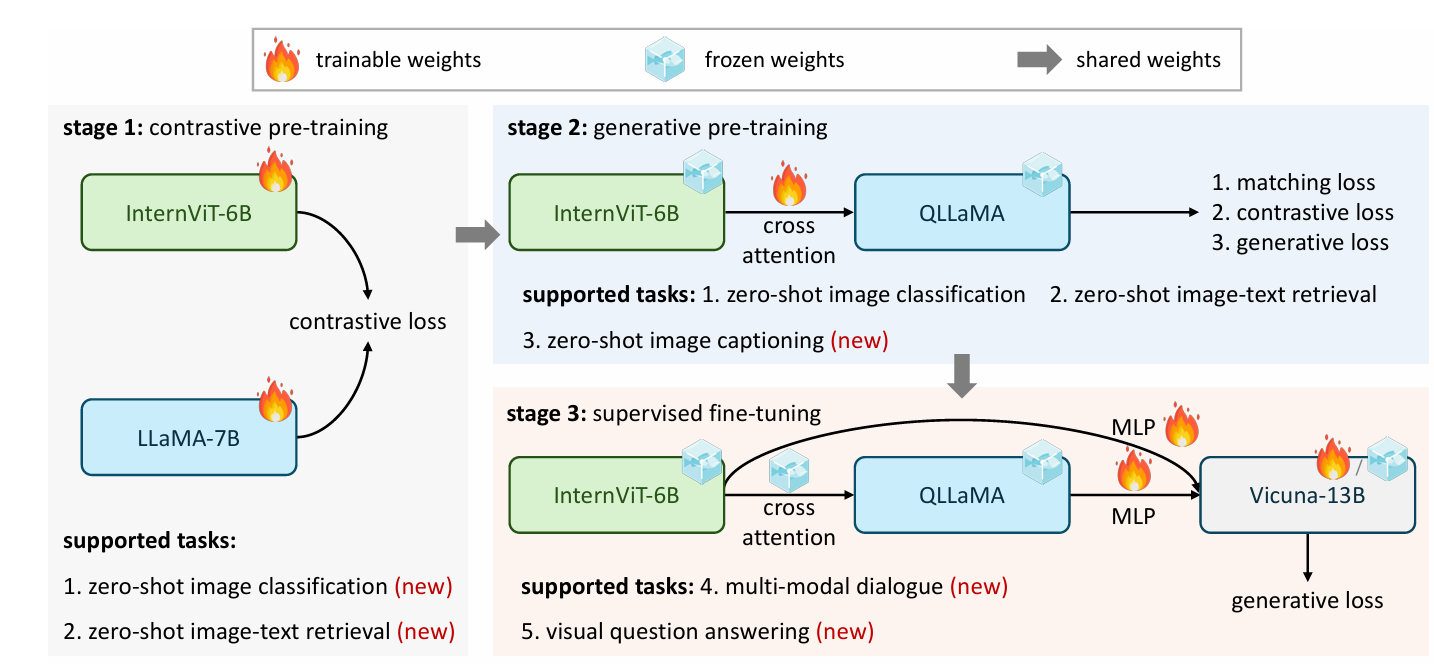
InternVL 2.0的架构集成了一个预训练的视觉变换器模型(InternViT-6B)和一个预训练的语言模型(InternLM2-20B)。这两个模型通过一个随机初始化的多层感知器(MLP)投影器连接起来。InternViT-6B是一个视觉基础模型(VFM),它在预训练阶段通过持续学习策略进行改进,增强了模型对视觉内容的理解能力,并提高了其在不同语言模型中的适应性。InternLM2-20B作为语言基础模型,提供了强大的初始语言处理能力。在训练过程中,MLP投影器用于优化视觉特征提取,将视觉编码器的输出与语言模型的输入相匹配。
## 算法原理
InternVL2.0采用了一种动态的高分辨率训练方法,该方法将图像分割成448×448像素的瓦片,瓦片数量根据输入图像的纵横比和分辨率在1到12之间变化。在测试阶段,这个数量可以扩展到40个瓦片(即4K分辨率)。为了增强高分辨率下的可扩展性,模型使用了一个简单的像素洗牌操作,将视觉标记的数量减少到原始数量的四分之一。因此,在模型中,一个448×448像素的图像由256个视觉标记表示。在微调阶段,模型使用了精心选择的数据集来增强在多模态任务中的性能,这些数据集包括图像字幕、通用问答、科学图像理解、图表解释、数学问题解决、基于知识的问答、OCR和文档理解等。
## 环境配置
### Docker(方法一)
[光源](https://www.sourcefind.cn/#/service-details)拉取docker镜像的地址与使用步骤
```
docker pull image.sourcefind.cn:5000/dcu/admin/base/pytorch:2.1.0-ubuntu20.04-dtk24.04.1-py3.10
docker run -it -v /path/your_code_data/:/path/your_code_data/ -v /opt/hyhal/:/opt/hyhal/:ro --shm-size=128G --privileged=true --device=/dev/kfd --device=/dev/dri/ --group-add video --name internvl2 bash
cd /path/your_code_data/
pip install -r requirements.txt -i http://mirrors.aliyun.com/pypi/simple/ --trusted-host mirrors.aliyun.com
```
### Dockerfile(方法二)
```
cd /path/your_code_data/docker
docker build --no-cache -t internvl2:latest .
docker run --shm-size=128G --name internvl2 -v /opt/hyhal:/opt/hyhal:ro --privileged=true --device=/dev/kfd --device=/dev/dri/ --group-add video -v /path/your_code_data/:/path/your_code_data/ -it internvl2 bash
```
### Anaconda(方法三)
关于本项目DCU显卡所需的特殊深度学习库可从[光合](https://developer.sourcefind.cn/tool/)开发者社区下载安装。
```
DTK驱动:dtk24.04
python:python3.10
torch:2.1
torchvision: 0.16.0
deepspeed: 0.12.3
```
`Tips:以上dtk驱动、python、paddle等DCU相关工具版本需要严格一一对应`
关于本项目DCU显卡所需的特殊深度学习库可从[光合](https://developer.sourcefind.cn/tool/)开发者社区下载安装。
```
conda create -n internvl2 python=3.10
conda activate internvl2
cd /path/your_code_data/
pip install -r requirements.txt -i http://mirrors.aliyun.com/pypi/simple
```
## 数据集
测试数据集 [ai2d](https://allenai.org/data/diagrams)
预训练需要准备你的训练数据,需要将所有图片样本放到中并存入`playground/data/`,文本文件以jsonl存入文件夹路径如下, **ai2d_train_12k.jsonl** 可以在`playground/opensource`中找到,具体可以参考官方[Fine-tune on a Custom Dataset](https://internvl.readthedocs.io/en/latest/internvl2.0/finetune.html)。
```
playground/
├── opensource
│ ├── ai2d_train_12k.jsonl
├── data
│ ├── ai2d
│ │ ├── abc_images
│ │ └── images
```
下载预训练模型后,准备自定义的 SFT(监督微调)数据。之后在`internvl_chat/shell/data/`中创建一个 JSON 文件格式如下,并命名为 **internvl_1_2_finetune_custom.json** 。
```
{
"ai2d_train_12k": {
"root": "playground/data/ai2d/",
"annotation": "playground/opensource/ai2d_train_12k.jsonl",
"data_augment": false,
"repeat_time": 1,
"length": 12413
}
}
```
## 训练
根据实际情况在脚本中修改权重相关路径
### 单机多卡
```
sh finetune_lora_multi_dcu.sh
```
## 推理
### 单机多卡
推理前需要修改模型路径和图片路径
```
path = 'OpenGVLab/InternVL2-40B'
pixel_values = load_image('./examples/image1.jpg', max_num=12).to(torch.bfloat16).cuda()
generation_config = dict(max_new_tokens=1024, do_sample=False)
```
```
python internvl_chat.py
```
## result
### OCR
### 问答
### 精度
测试数据:[ai2d](https://allenai.org/data/diagrams),使用的加速卡:K100AI/A800。
| device | train_loss |
| :------: | :------: |
| K100AI | 0.1231 |
| A800 | 0.1231 |
## 应用场景
### 算法类别
`OCR`
### 热点应用行业
`金融,教育,交通,政府`
## 预训练权重
[OpenGVLab/InternVL2-40B](https://huggingface.co/OpenGVLab/InternVL2-40B)
## 源码仓库及问题反馈
- https://developer.sourcefind.cn/codes/modelzoo/internvl2_pytorch
## 参考资料
- [OpenGVLab/InternVL github](https://github.com/OpenGVLab/InternVL)
- [InternVL: Scaling up Vision Foundation Models and Aligning for Generic Visual-Linguistic Tasks](https://arxiv.org/abs/2312.14238)
- [How Far Are We to GPT-4V? Closing the Gap to Commercial Multimodal Models with Open-Source Suites](https://arxiv.org/abs/2404.16821)