# InternLM-Math
## 论文
`InternLM-Math: Open Math Large Language Models Toward Verifiable Reasoning`
- [https://arxiv.org/abs/2402.06332]
## 算法原理
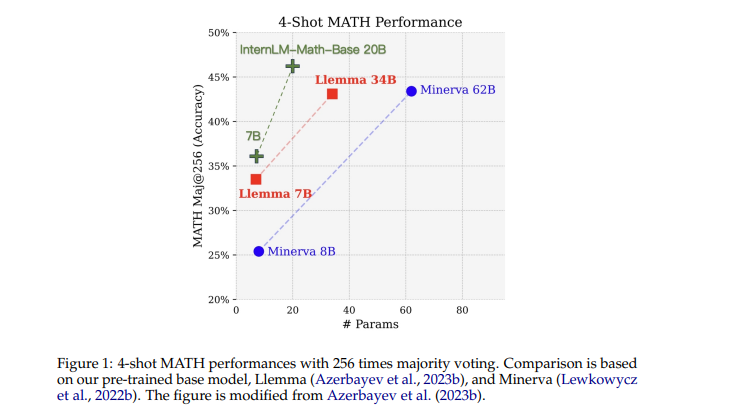
InternLM-Math是基于InternLM2-Base模型进行数学预训练得到的大型语言模型。融合了链式推理、奖励建模、数据增强和形式推理等多种能力,不仅可以解决数学问题,还可以验证推理过程的正确性。竞赛级别的MATH基准测试的准确率优于更大参数量的qwen-72B、Llemma-34B等模型
## 环境配置
### Docker(方法一)
此处提供[光源](https://www.sourcefind.cn/#/service-details)拉取 docker 镜像的地址与使用步骤
```
docker pull image.sourcefind.cn:5000/dcu/admin/base/pytorch:2.1.0-centos7.6-dtk24.04-py310
docker run -it --shm-size=1024G -v : -v /opt/hyhal:/opt/hyhal --privileged=true --device=/dev/kfd --device=/dev/dri/ --group-add video --name internlm-math bash # 为以上拉取的docker的镜像ID替换,本镜像为:c85ed27005f2
cd /home/internlm-math-pytorch
pip install -r requirements.txt -i https://mirrors.aliyun.com/pypi/simple/ --trusted-host mirrors.aliyun.com
pip uninstall vllm
# bitsandbytes可从whl.zip文件里获取安装:
pip install bitsandbytes-0.42.0-py3-none-any.whl
```
### Dockerfile(方法二)
此处提供 dockerfile 的使用方法
```
docker build -t internlm-math-df:latest .
docker run -it --shm-size=1024G -v : -v /opt/hyhal:/opt/hyhal --privileged=true --device=/dev/kfd --device=/dev/dri/ --group-add video --name internlm-math internlm-math-df:latest bash
pip install -r requirements.txt -i https://mirrors.aliyun.com/pypi/simple/ --trusted-host mirrors.aliyun.com
# bitsandbytes可从whl.zip文件里获取安装:
pip install bitsandbytes-0.42.0-py3-none-any.whl
pip uninstall vllm
```
### Anaconda(方法三)
此处提供本地配置、编译的详细步骤,例如:
关于本项目 DCU 显卡所需的特殊深度学习库可从[光合](https://developer.hpccube.com/tool/)开发者社区下载安装。
```
DTK驱动:dtk24.04
python:python3.10
torch: 2.1.0
torchvision: 0.16.0
deepspeed:0.12.3
bitsandbytes: 0.42.0
triton:2.1.0
```
`Tips:以上dtk驱动、python、paddle等DCU相关工具版本需要严格一一对应`
其它非深度学习库参照 requirements.txt 安装:
```
pip install -r requirements.txt
pip uninstall vllm
```
## 数据集
使用alpaca_en.json数据集,已经包含在finetune/data目录中,具体文件为alpaca_en_demo.json
项目中已提供用于试验训练的迷你数据集,训练数据目录结构如下,用于正常训练的完整数据集请按此目录结构进行制备:
```
── data
├── alpaca_en_demo.json.json
└── alpaca_zh_demo.json.json
```
## 训练
根据实际路径修改模型路径和数据集路径
### 单机单卡
```
cd finetune
sh single_node.sh
```
### 单机多卡
```
cd finetune
sh multi_node.sh
```
## 推理
```
cd inference
python single_dcu.py
```
## result
使用的加速卡:2张 DCU-K100-64G
### 精度
测试数据:[alpaca_en_demo.json],使用的加速卡:K100-64G,2卡训练。
根据测试结果情况填写表格:
| device | train_loss |
| :------: | :------: |
| DCU-K100 | 1.0941 |
| GPU-A800 | 1.0944 |
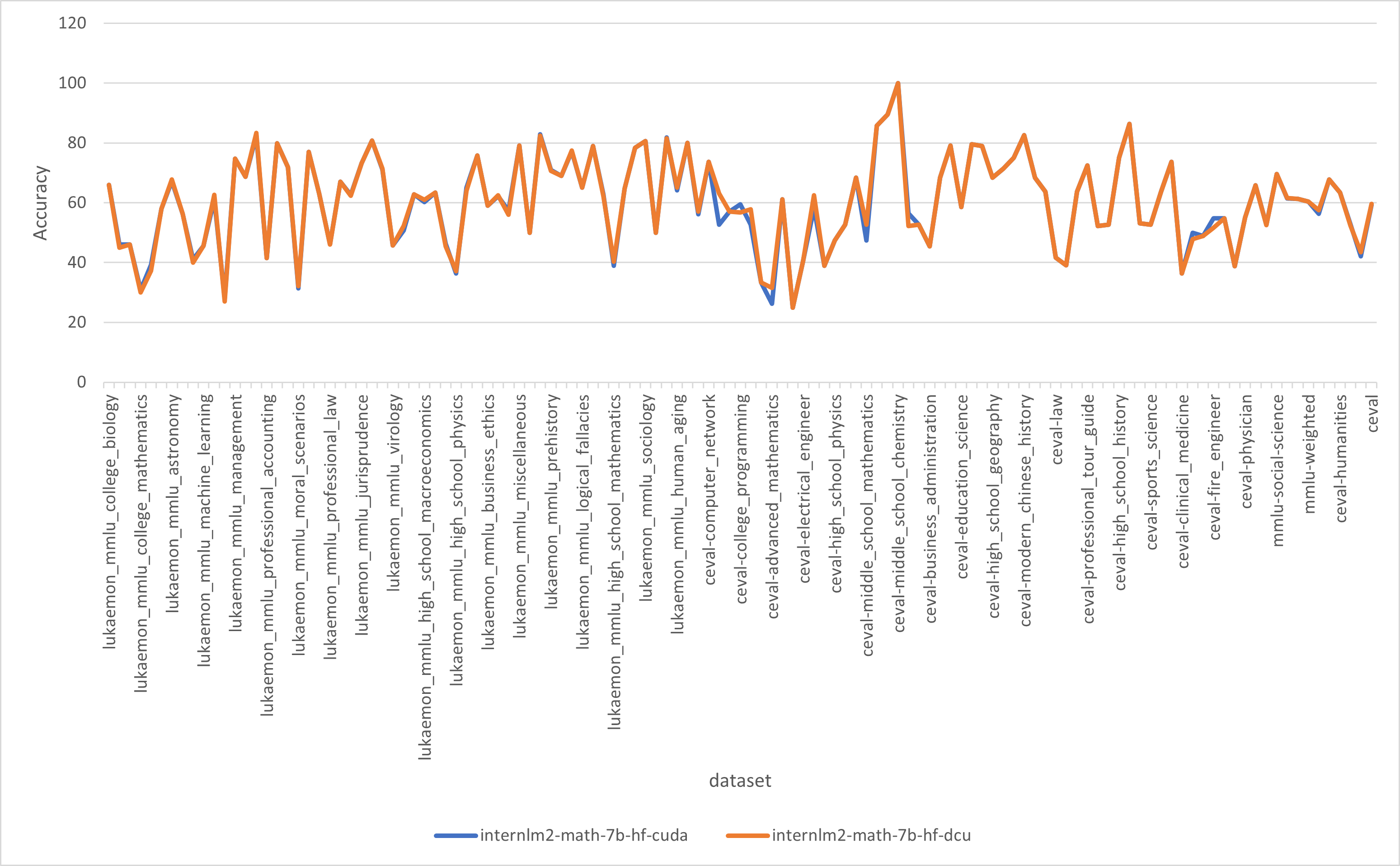
使用[opencompass](https://github.com/open-compass/opencompass)得到的测试结果对比
### 算法类别
数学推理
### 热点应用行业
`科研,教育,金融`
### 预训练权重
预训练权重下载中心: [huggingface](https://huggingface.co/internlm/internlm2-math-7b)
快速下载通道:[AiModels](http://113.200.138.88:18080/aimodels/internlm/internlm2-math-7b)
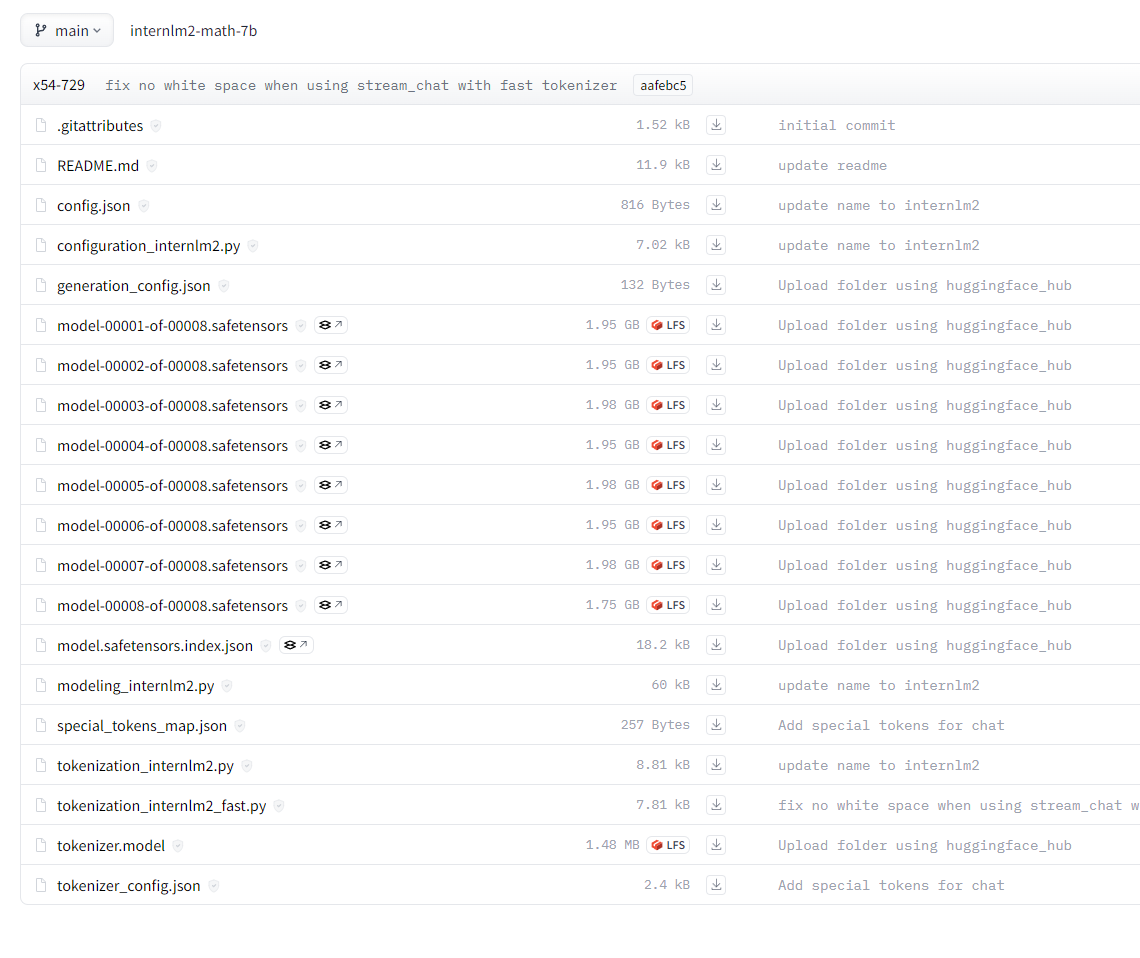
模型目录结构如下:
## 源码仓库及问题反馈
- https://github.com/InternLM/InternLM-Math
## 参考资料
- https://github.com/hiyouga/LLaMA-Factory/tree/main
- https://github.com/InternLM/InternLM-Math
- https://hf-mirror.com/internlm/internlm2-math-7b