# IC-Light
IC-Light 是一个对图像光照进行处理的项目,该项目发布了两个模型 一个是根据文本描述重新生成背景和光照图片,一个是基于背景光照生成光照图片。
## 论文
暂无
## 模型结构
模型方面作者开放了三个模型:
- iclight_sd15_fc.safetensors - 默认的重新照明模型,以文本和前景为条件。
- iclight_sd15_fcon.safetensors - 与“iclight_sd15_fc.safetensors”相同,但使用偏移噪声进行训练,但使用中iclight_sd15_fc.safetensors好于此模型。
- iclight_sd15_fbc.safetensors - 用文本、前景和背景调节的重新照明模型。
## 算法原理
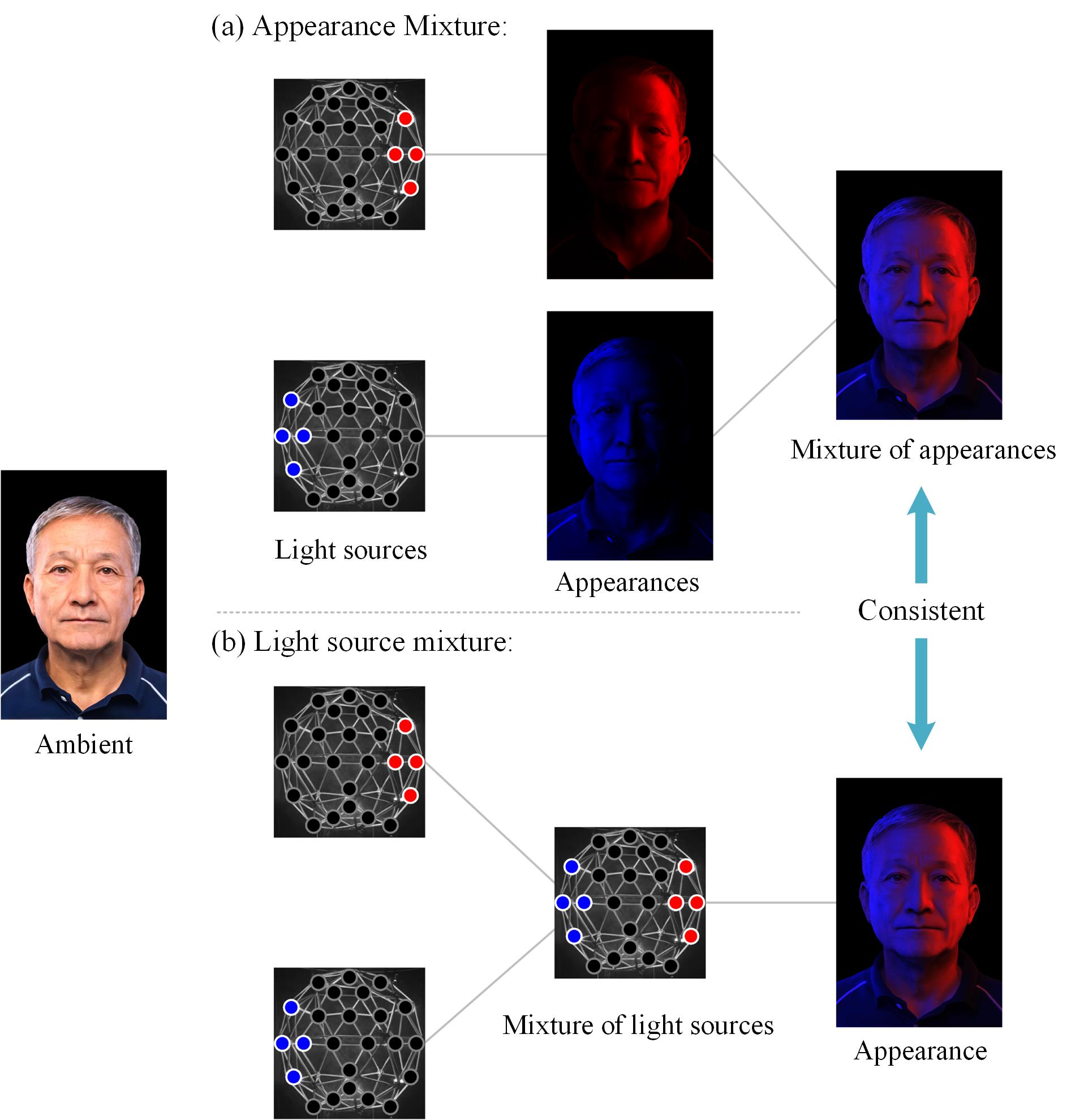
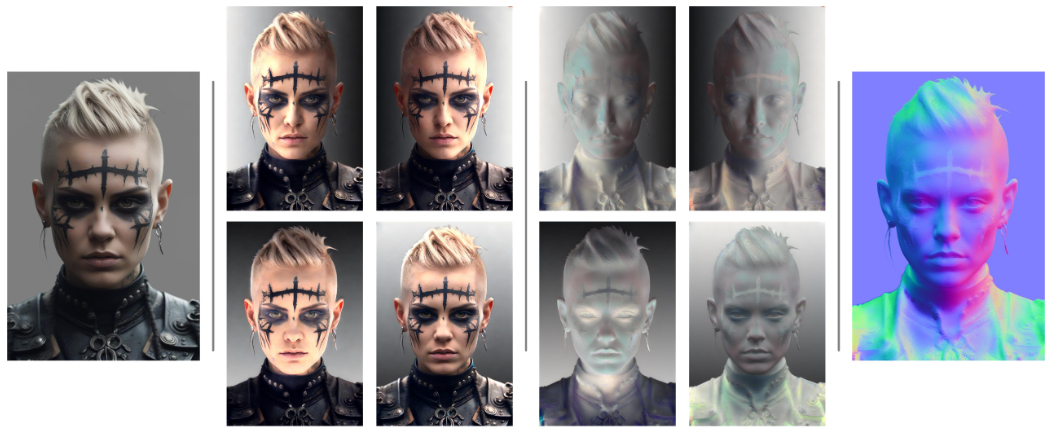
在潜在空间中使用了MLP
光线混合的示意图。
## 环境配置
-v 路径、docker_name和imageID根据实际情况修改
### Docker(方法一)
```bash
docker pull image.sourcefind.cn:5000/dcu/admin/base/pytorch:2.1.0-centos7.6-dtk24.04-py310
docker run -it --network=host -v /path/your_code_data/:/path/your_code_data/ -v /opt/hyhal/:/opt/hyhal/:ro --shm-size=80G --privileged=true --device=/dev/kfd --device=/dev/dri/ --group-add video --name docker_name imageID bash
cd /your_code_path/ic-light_pytorch
pip install -r requirements.txt
export HF_ENDPOINT=https://hf-mirror.com
```
### Dockerfile(方法二)
```bash
cd docker
docker build --no-cache -t ic-light:latest .
docker run -it --network=host -v /path/your_code_data/:/path/your_code_data/ -v /opt/hyhal/:/opt/hyhal/:ro --shm-size=80G --privileged=true --device=/dev/kfd --device=/dev/dri/ --group-add video --name docker_name imageID bash
cd /your_code_path/ic-light_pytorch
pip install -r requirements.txt
export HF_ENDPOINT=https://hf-mirror.com
```
### Anaconda(方法三)
关于本项目DCU显卡所需的特殊深度学习库可从[光合](https://developer.hpccube.com/tool/)开发者社区下载安装。
```
DTK驱动: dtk24.04
python: python3.10
torch: 2.1.0
```
`Tips:以上dtk驱动、python、torch等DCU相关工具版本需要严格一一对应`
其它非深度学习库安装方式如下:
```bash
pip install -r requirements.txt
export HF_ENDPOINT=https://hf-mirror.com
```
## 数据集
暂无
## 训练
暂无
## 推理
1、基于Huggingface模型进行推理.
2、运行代码后模型会自动下载 默认需存放至models文件夹中
3、也可自行更改 inference.py文件中的 model_name 参数
4、由于模型使用stablediffusionapi/realistic-vision-v51作为生成模型,所以需要进行下载
[stablediffusionapi/realistic-vision-v51下载地址](https://huggingface.co/stablediffusionapi/realistic-vision-v51)
默认存放于主目录下
### 前景图片+文本生成模型推理
```bash
HIP_VISIBLE_DEVICES=0 python gradio_demo.py
# 如果非localhost地址 可通过以下命令映射到本地端口
# port 填充为端口,localhost默认为127.0.0.1
ssh -L {port}:127.0.0.1:{port} {name}@{ip} -p 22
```
### 背景图片+文本生成模型推理
```bash
HIP_VISIBLE_DEVICES=0 python gradio_demo_bg.py
# 如果非localhost地址 可通过以下命令映射到本地端口
# port 填充为端口,localhost默认为127.0.0.1
ssh -L {port}:127.0.0.1:{port} {name}@{ip} -p 22
```
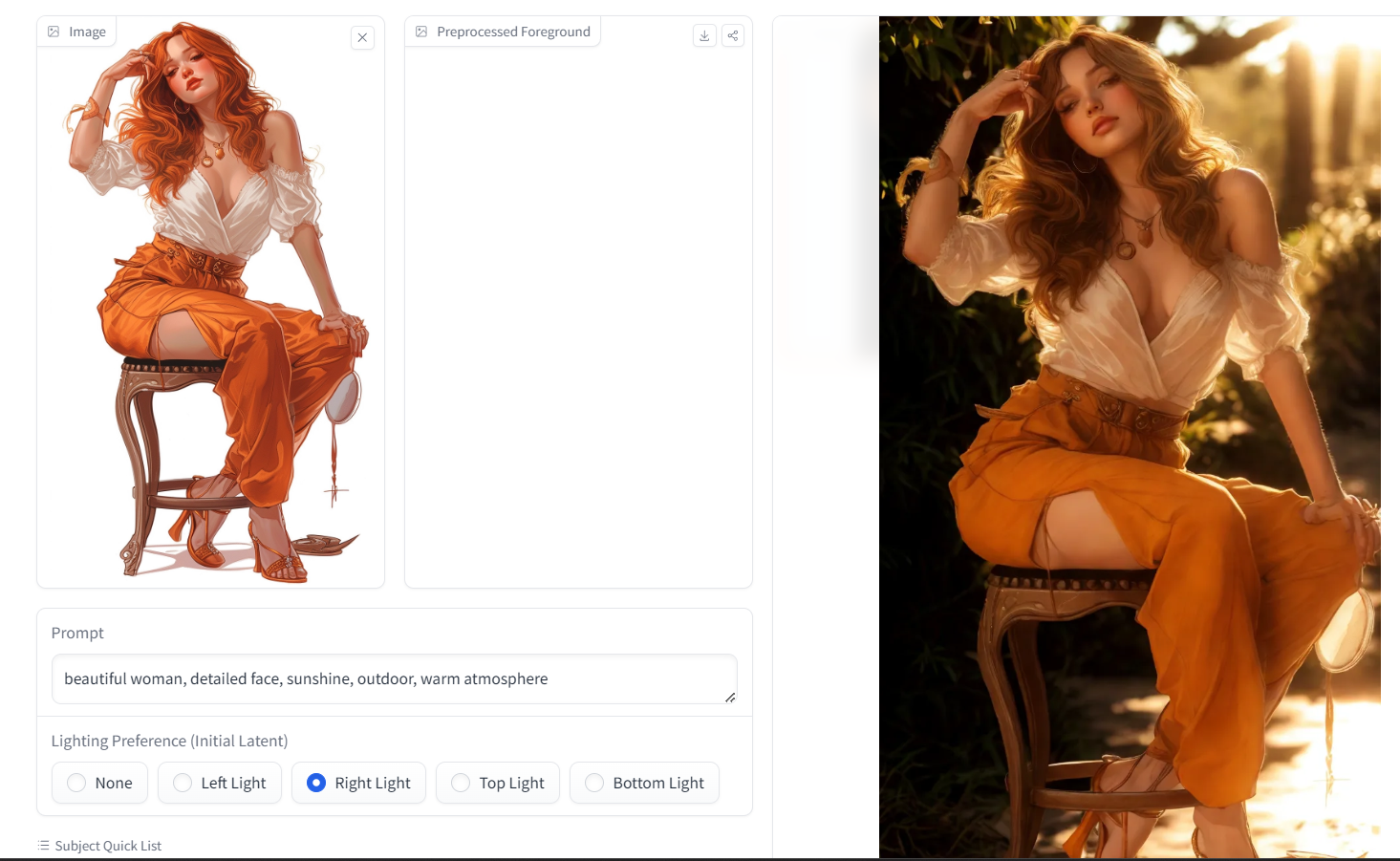
## Result
prompt:beautiful woman, detailed face, sunshine, outdoor, warm atmosphere",
result:
### 精度
暂无
## 应用场景
### 算法类别
AIGC
### 热点应用行业
零售,广媒,电商
## 预训练权重
模型目录结构如下:
```
# starcoder2-7b/
├── config.json
├── generation_config.json
├── merges.txt
├── model-00001-of-00003.safetensors
├── model-00002-of-00003.safetensors
├── model-00003-of-00003.safetensors
├── model.safetensors.index.json
├── README.md
├── special_tokens_map.json
├── tokenizer_config.json
├── tokenizer.json
└── vocab.json
```
## 源码仓库及问题反馈
- https://developer.hpccube.com/codes/modelzoo/ic-light_pytorch
## 参考资料
- https://github.com/lllyasviel/IC-Light
- https://huggingface.co/stablediffusionapi/realistic-vision-v51