# OmniContext
As part of OmniGen2, we introduce a new benchmark for in-context generation, **OmniContext**, which aims to provide a more comprehensive evaluation of models' in-context generation abilities. It incorporates a diverse set of input images and instructions, and utilizes GPT-4.1 for interpretable, metric-driven assessment.
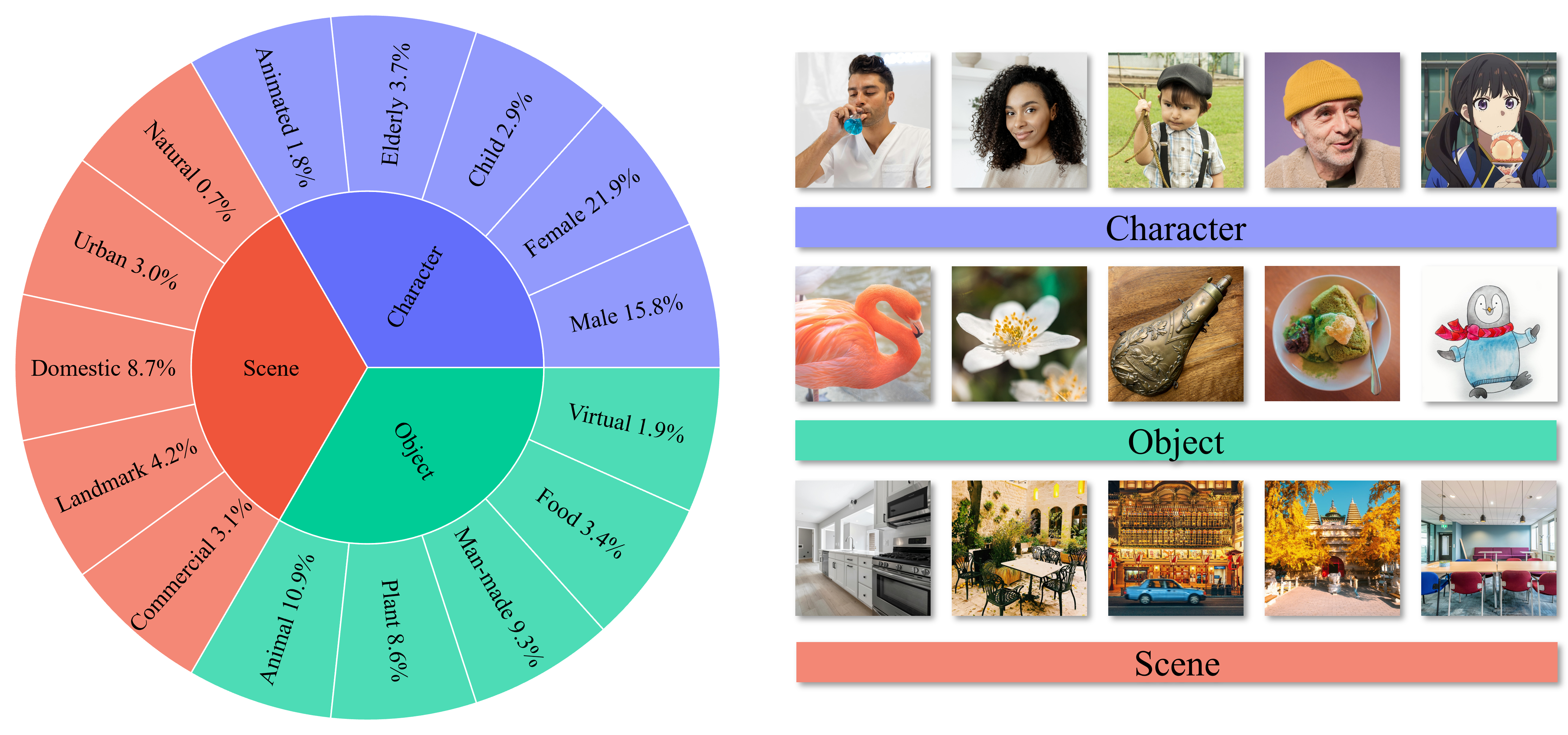
Overview of OmniContext benchmark.
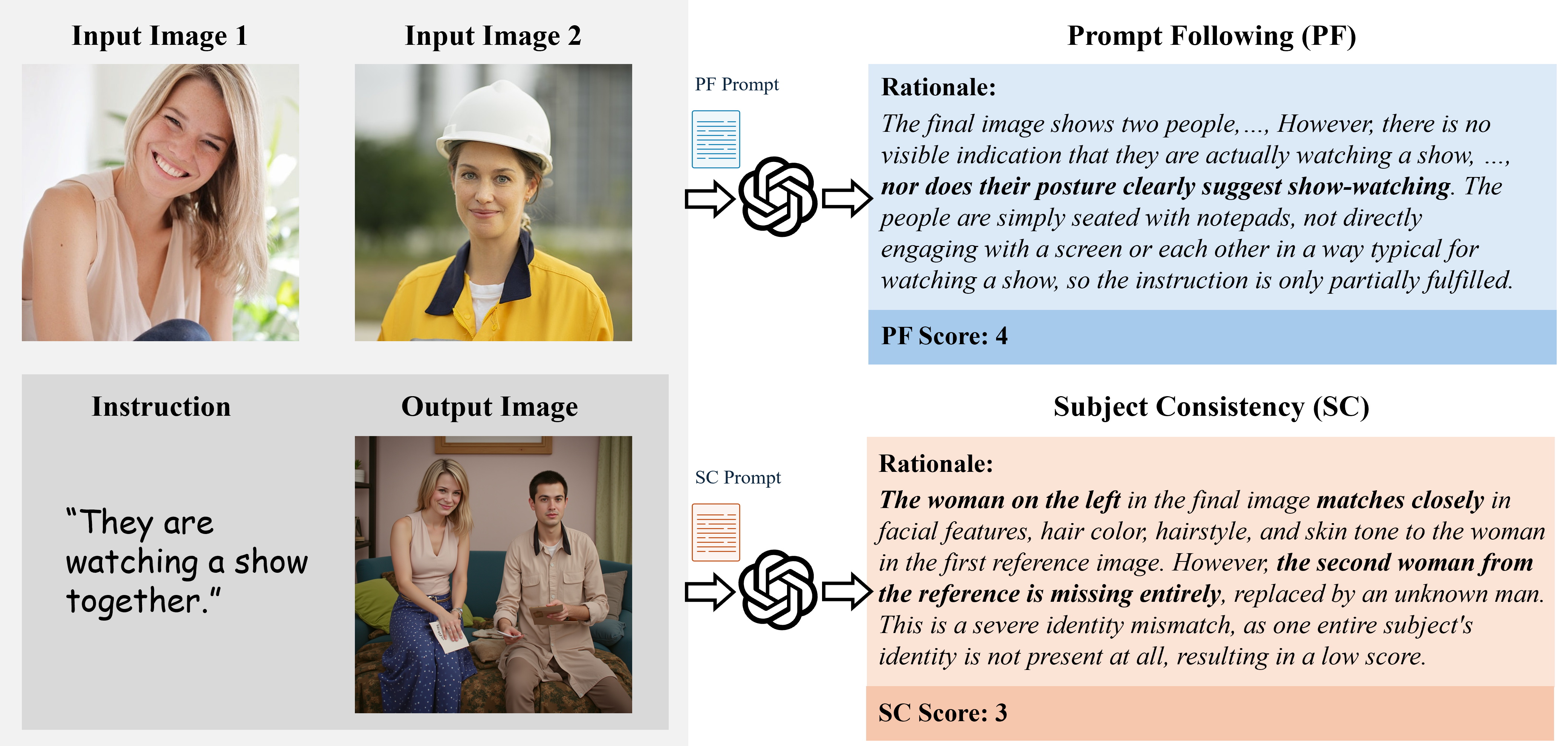
An illustrative evaluation case in the OmniContext benchmark.
The evaluation of the OmniContext benchmark includes the following steps:
## Step1 Environment Setup
```bash
# 1. Activate Python environment
conda activate omnigen2
# 2. Install dependencies
pip install -U datasets megfile
```
## Step2 Generate Images
Note: we fix the resolution of the output images at 1024 × 1024 to ensure that the settings are consistent across different models.
You may try generating results using OmniGen2 or other models; please ensure that the output image directory structure and format are consistent with the format specified below.
```
results/
├── {method_name}/
│ └── fullset/
│ └── {task_type}/
│ ├── key1.png
│ ├── key2.png
│ └── ...
```
To use OmniGen2, you can run the following script to generate images:
```bash
cd OmniGen2
accelerate launch --num_processes=8 -m omnicontext.inference \
--model_path "OmniGen2/OmniGen2" \
--model_name "OmniGen2" \
--test_data "OmniGen2/OmniContext" \
--result_dir "omnicontext/results" \
--num_inference_step 50 \
--height 1024 \
--width 1024 \
--text_guidance_scale 5.0 \
--image_guidance_scale 2.0 \
--num_images_per_prompt 1 \
--disable_align_res # Align the resolution to the original image when dealing image editing tasks, disable it when dealing in context generation tasks.
```
## Step3 Evaluation
1. We use GPT-4.1 to evaluate the quality of the generated images. Please make sure to set up your API key before running the script.
```bash
cd OmniGen2
openai_key=""
python -m omnicontext.test_omnicontext_score \
--test_data "OmniGen2/OmniContext" \
--result_dir "omnicontext/results" \
--model_name "OmniGen2" \
--openai_key ${openai_key} \
--max_workers 100
```
2. Next, calculate the final score:
```bash
python -m omnicontext.calculate_statistics \
--save_path "omnicontext/results" \
--model_name "OmniGen2" \
--backbone gpt4dot1
```
## Acknowledgements
The code structure of this benchmark is inspired by [Step1X-Edit](https://github.com/stepfun-ai/Step1X-Edit).
Special thanks to the original project for their valuable contribution.