
EasyStart v0.1 —— 一键启动,零门槛大模型测试
环境测试 •
测试+下载+推理 •
批量本地推理
---
> **一句话总结**
> 无论做交付、做评测还是做批量实验,只要一条命令,环境、模型、推理全搞定。
---
## 🚀 快速开始
| 场景 | 一键指令 |
|------|-----------|
| 1️⃣ 纯环境测试 | `git clone http://developer.sourcefind.cn/codes/jerrrrry/easystart_v0.1.git && cd easystart_v0.1/1_env_check && bash start.sh` |
| 2️⃣ 环境测试 + 模型下载 + 大模型推理 | `git clone http://developer.sourcefind.cn/codes/jerrrrry/easystart_v0.1.git && cd "easystart_v0.1/2_env_check&model_download&llm_inference" && bash start.sh` |
| 3️⃣ 环境测试 + 批量本地模型推理 | `git clone http://developer.sourcefind.cn/codes/jerrrrry/easystart_v0.1.git && cd "easystart_v0.1/3_env_check&batches_llm_inference" && bash start.sh` |
---
## 📦 1️⃣ 环境测试(`1_env_check`)
- ✅ ROCm 带宽测试
- ✅ 4/8 卡 RCCL 带宽
- ✅ DCU 环境检查(贵哥发版)
- ✅ ACS 监控
- ✅ CPU & DCU 状态
- ✅ 存储 & 内存
- ✅ 网络连通性
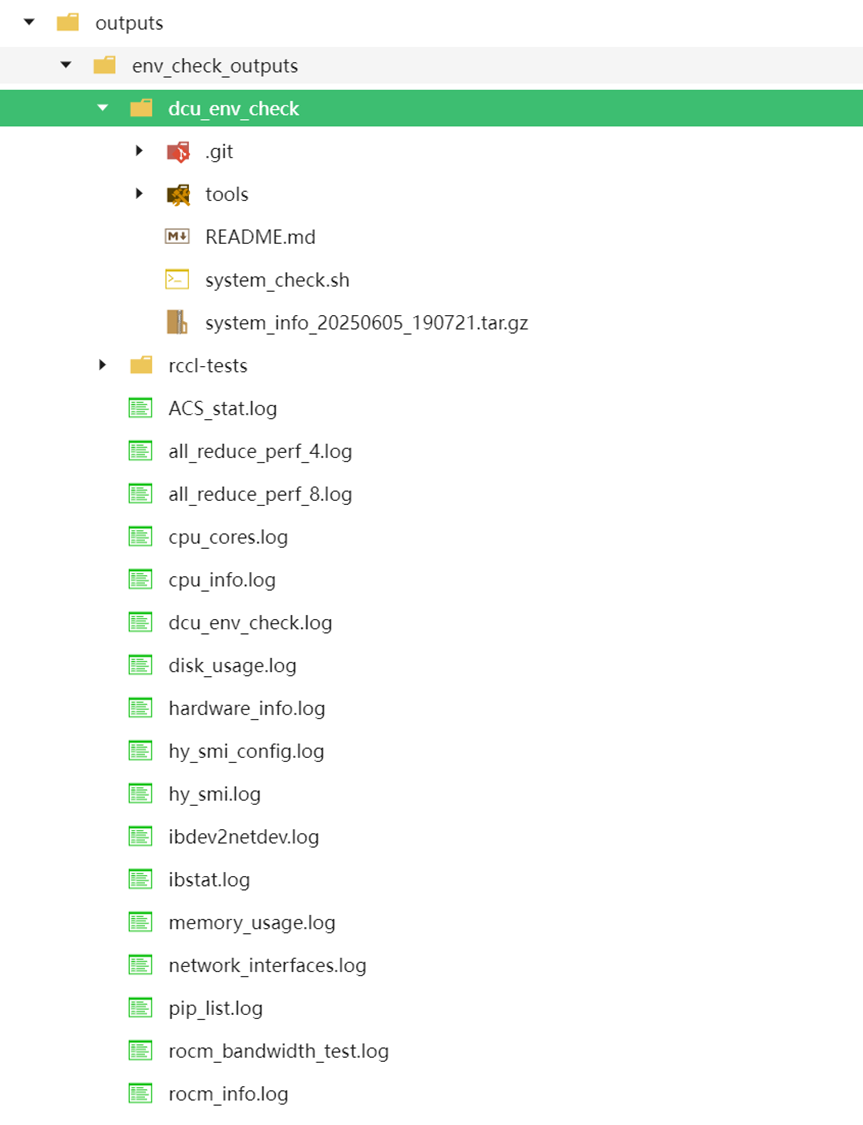
📁 结果输出:`./outputs/env_check_outputs`
---
## 📦 2️⃣ 环境测试 + 模型下载 + 推理(`2_env_check&model_download&llm_inference`)
### ① 填写待测模型
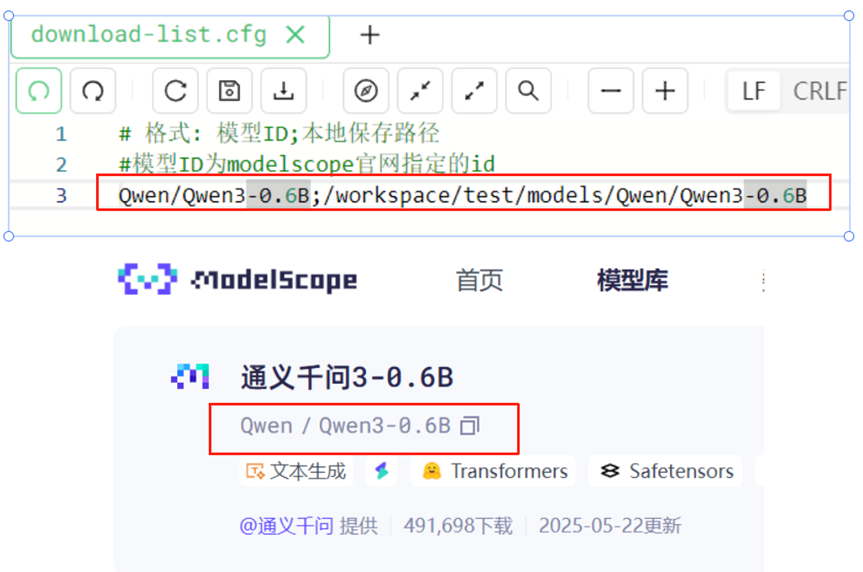
在 `download-list.cfg` 中按以下格式添加模型:
模型ID;本地保存路径(模型ID对应modelscope的模型ID)
> 可一次填写多个,支持批量下载与测试。
### ② 配置推理参数
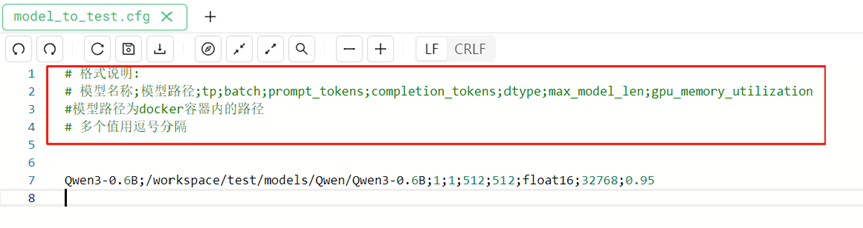
编辑 `model_to_test.cfg`,按指定格式填入推理参数。
### ③ 运行脚本
```bash
bash start.sh