**一键启动使用指南**
**一键启动当前版本支持:**
1. 一键启动环境测试(适用于一切场景)
2. 一键启动环境测试+模型下载+大模型推理(更适用于交付场景)
3. 一键启动环境测试+批量大模型推理(适用于大批量测试需求的场景)
可根据需求进行相应测试。
**1\_env\_check**
一键启动环境测试:
https://developer.sourcefind.cn/codes/jerrrrry/easystart\_v0.1/-/tree/main/1\_env\_check
|git clone http://developer.sourcefind.cn/codes/jerrrrry/easystart\_v0.1.git
cd 1\_env\_check/
bash start.sh|
| :- |
测试项包含:
1:rocm\_bandwidth\_test
2:Rccl 4卡&8卡带宽测试
3:贵哥发版的dcu\_env\_check
4:ACS监控
5:CPU&DCU状态
6:存储&内存状态
7:网络状态
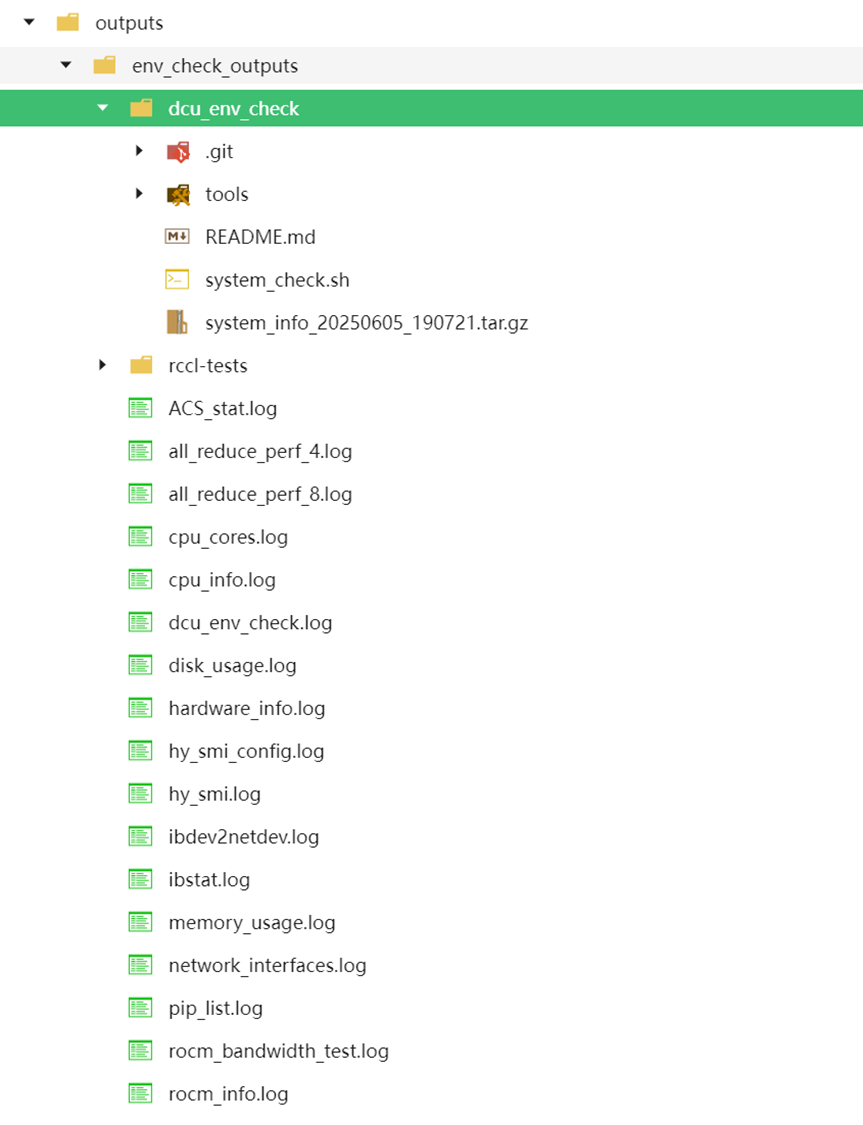
**测试结果**
测试结果保存在 ./outputs/env\_check\_outputs
**2\_env\_check&model\_download&llm\_inference**
一键启动环境测试+模型下载+llm推理:
https://developer.sourcefind.cn/codes/jerrrrry/easystart\_v0.1/-/tree/main/2\_env\_check%26model\_download%26llm\_inference
|git clone http://developer.sourcefind.cn/codes/jerrrrry/easystart\_v0.1.git
cd 2\_env\_check&model\_download&llm\_inference/
bash start.sh|
| :- |
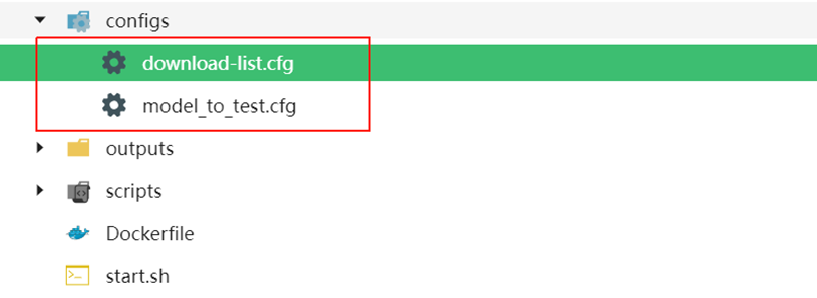
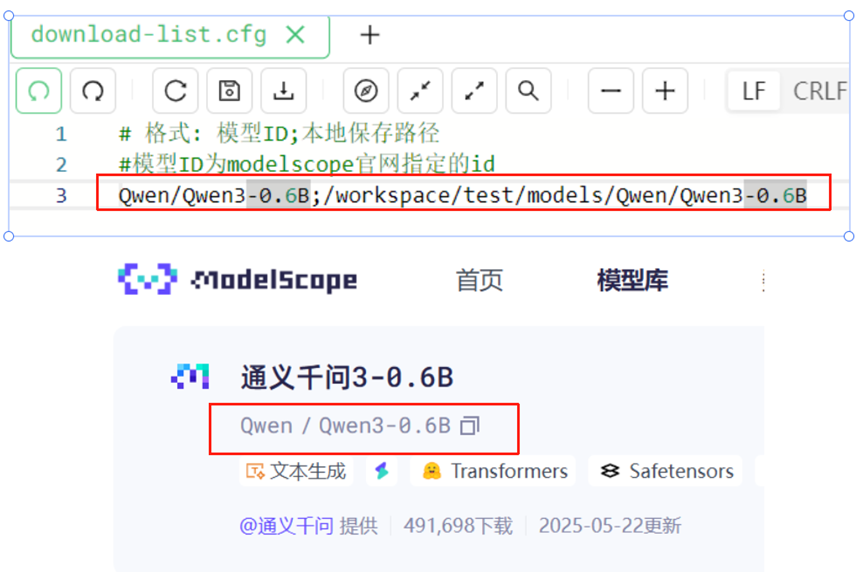
只需将要测试的模型ID**(对应modelscope的模型ID)**传入**download-list.cfg**里
**Tips**
1:download-list.cfg里的格式为:**模型ID;本地保存路径**
2:可以写入多个模型下载且**会进行批量测试**
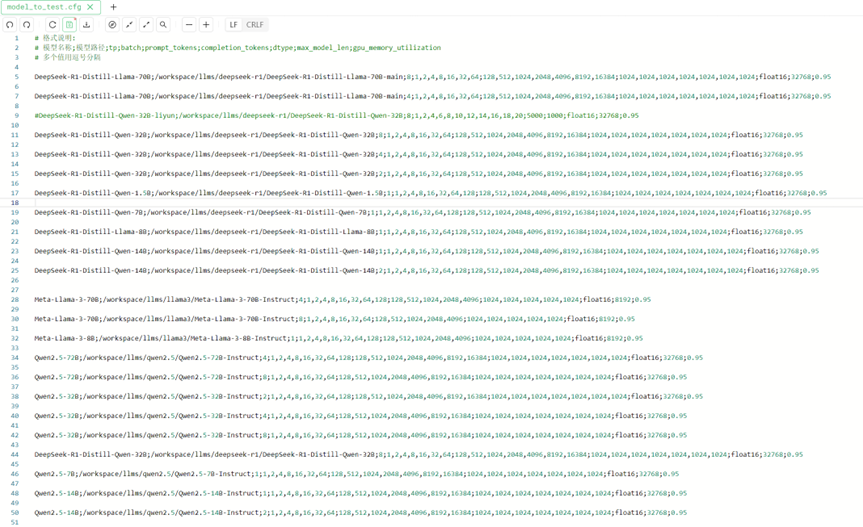
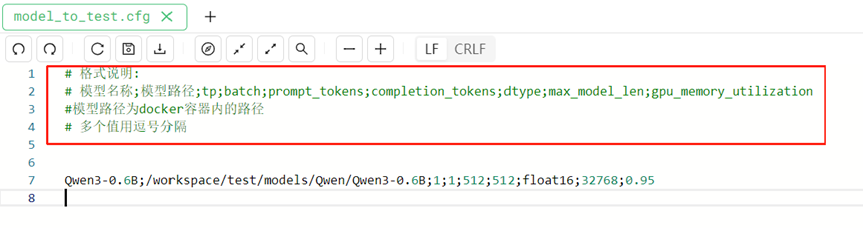
3:模型测试参数通过**model\_to\_test.cfg**传入,**需注意model\_to\_test.cfg的传参格式**
**测试结果**
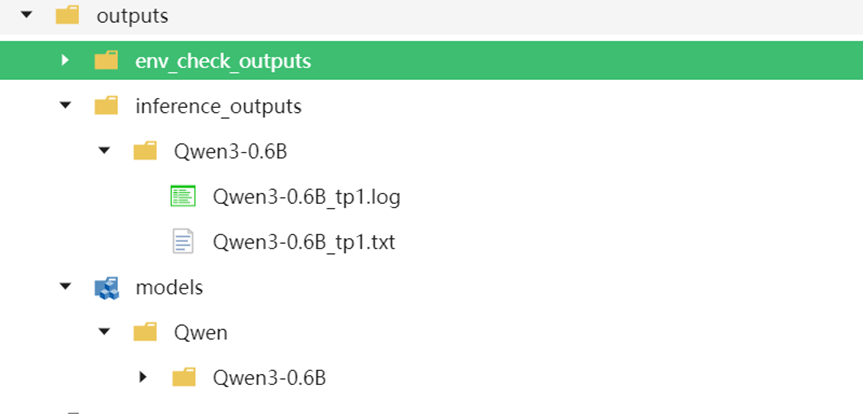
测试结果保存在 ./outputs/env\_check\_outputs和 ./outputs/inference\_outputs
下载的模型会保存在 ./outputs/models
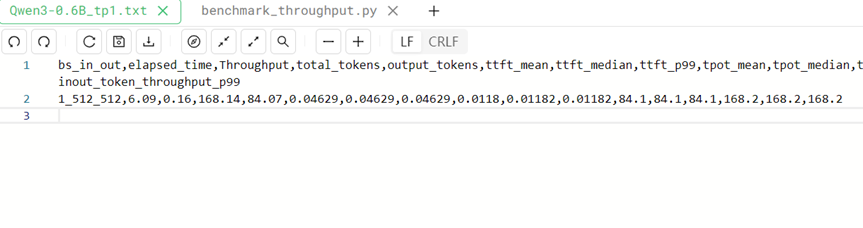
**推理结果**
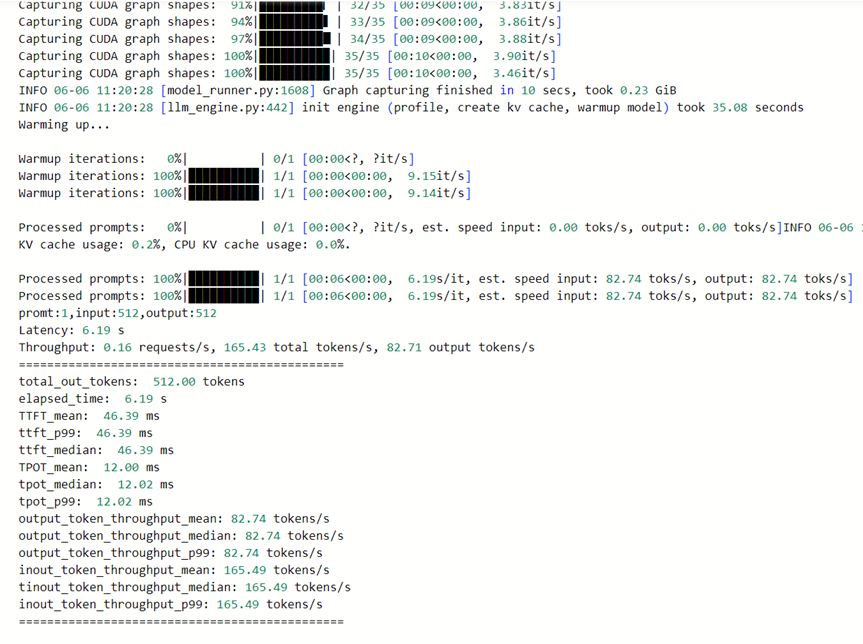
**测试日志**
**3\_env\_check&batches\_llm\_inference**
一键启动环境测试+批量llm推理:
https://developer.sourcefind.cn/codes/jerrrrry/easystart\_v0.1/-/tree/main/3\_env\_check%26batches\_llm\_inference
|git clone http://developer.sourcefind.cn/codes/jerrrrry/easystart\_v0.1.git
cd 3\_env\_check&batches\_llm\_inference/
bash start.sh|
| :- |
**只需在start.sh中挂载本地大模型到docker里**
**修改model\_to\_test.cfg里的测试参数**
**测试结果**
测试结果保存在 ./outputs/inference\_outputs